
Gift Guide
10 Personalized LEGO Minifigure Gift Ideas You Can Make with AI
March 2026 · 6 min read
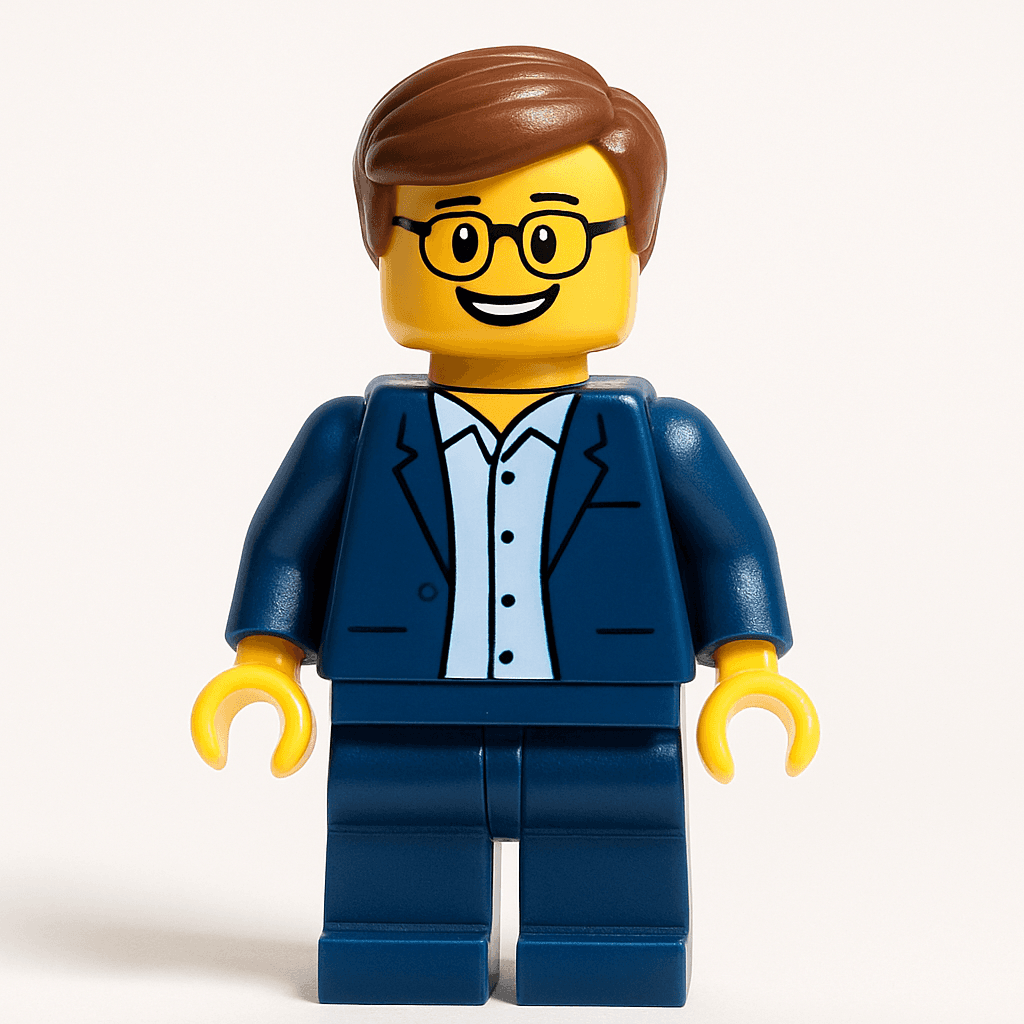
LEGO fans are notoriously hard to shop for — they already have every set. A personalized AI Minifigure portrait is the one LEGO gift they genuinely cannot buy in stores. It is their face, their likeness, rendered in the iconic blocky yellow style they have loved since childhood. This guide covers 10 creative ways to turn that portrait into a gift they will actually keep.
1. Framed Minifigure Portrait
Generate a Minifigure version of someone and print it at any photo service — Walmart Photo, Shutterfly, or even a home printer on cardstock. Drop it into a simple 5x7 frame and you have a desk piece or shelf decoration that is completely one-of-a-kind. It sits right next to their LEGO sets and looks like it belongs there.
2. Custom Birthday Card
Print the Minifigure portrait on heavy cardstock and fold it into a greeting card — the avatar goes on the front cover, your message inside. Canva has free greeting card templates that work perfectly for this. Unlike a store-bought card that gets recycled, this one usually ends up pinned to a bulletin board or propped on a desk for months.
3. Matching Couple Minifigures
Generate both partners as Minifigures and present them side by side — framed together or printed on a single card. It is a genuinely sweet anniversary or Valentine's Day gift that combines nostalgia with something deeply personal. The yellow-faced, blocky aesthetic makes even the most serious couple look instantly charming.
4. Family Portrait — Everyone as Minifigures
Generate each family member individually, then arrange them in a single document using Canva or Photoshop and print as a group portrait. Include pets (see idea 6 below) for the full household. It is the kind of wall piece that makes guests do a double-take and then immediately ask where to get one.
5. Team or Office Group Minifigure
Generate every teammate as a Minifigure and compile them into a group poster — perfect for a retirement send-off, a farewell card, or a team offsite memento. It lands differently than a standard group photo because it is immediately funny and surprisingly accurate. Each person gets their own portrait to keep, and the group version goes on the wall.
6. Pet as a Minifigure
Dogs, cats, hamsters — upload a clear photo and the AI will render them as a Minifigure character with surprising personality. Pet portraits are among the most shared results on MiniFigureAI because they are inherently delightful. For a fellow pet owner, a framed Minifigure version of their dog is a gift that requires zero guesswork about what they will love.
7. Kids' Party Favors
For a LEGO-themed birthday party, generate a Minifigure of each guest and print them as wallet-sized cards or sticker sheets to hand out as favors. Kids go home with a personalized keepsake instead of the usual bag of cheap toys. Parents will appreciate the creativity, and every kid will immediately want to show theirs to everyone they know.
8. Minifigure Sticker Sheet
Generate your Minifigure, then cut it into stickers using a Cricut cutting machine. The high-resolution PNG output works perfectly with printable vinyl — you get a sheet of personalized stickers to put on water bottles, notebooks, laptops, or luggage tags. See our full Cricut sticker guide for the exact settings and paper to use.
9. Custom T-Shirt with Your Minifigure
Transfer your Minifigure onto a t-shirt using an iron-on transfer sheet or a Cricut with heat-transfer vinyl — the result is a genuinely unique piece of clothing that cannot be bought anywhere. It makes a fantastic birthday gift, a team uniform idea, or a party activity where guests all get their own shirt. Our custom t-shirt guide walks through the process step by step.
10. Social Media Reveal Gift
Record yourself uploading a photo and watching the Minifigure transform in real time, then post the reaction video to TikTok or Instagram Reels — tagging the recipient as the gift reveal. The transformation format consistently drives huge engagement because the reveal moment is genuinely surprising and shareable. Check our TikTok transformation guide for tips on filming and captioning for maximum reach.
How to Create Any of These Gifts
Every idea above starts the same way — with a photo and MiniFigureAI. Here is how it works:
- 1
Upload a clear photo
Go to minifigureai.com and upload a photo of the person, pet, or group you want to transform. A well-lit, front-facing photo produces the most accurate likeness.
- 2
Pick the Minifigure style
Select the Minifigure style from the style picker. You can also choose themed variants — birthday, holiday, or graduation — depending on the occasion. The AI generates your result in about 30 seconds.
- 3
Download and create your gift
Download the high-resolution PNG and use it however the gift calls for — print it, cut it, iron it on, or share it digitally. Your first avatar is free, and additional credits start at $2.99 for bulk gift batches.
Frequently Asked Questions
How much does it cost to make a personalized LEGO Minifigure gift?
Your first avatar is completely free — no account or credit card required. After that, credit packages start at $2.99, and each credit generates one high-resolution Minifigure portrait. Compare that to $30–$80 for a custom physical minifigure from a specialty shop, and the value is significant.
Can I print the Minifigure portrait myself at home?
Yes. The download is a high-resolution PNG that prints well at home on photo paper or cardstock. For larger prints (5x7 or bigger), an online print service like Shutterfly, Walmart Photo, or Snapfish will produce the sharpest result. No special software is needed.
Does MiniFigureAI work with pet photos?
Yes — pets work well with the Minifigure style. Upload a clear, well-lit photo where the pet's face is visible (not blurry or too far from the camera), and the AI will generate a Minifigure character that captures their coloring and personality. Dogs and cats produce particularly strong results.
How many credits do I need if I'm making gifts for a whole group?
Each avatar uses one credit. For a party of 10, you would need 10 credits — which works out to less than $0.30 per gift at standard credit pack pricing. Credits never expire, so you can buy a pack ahead of a birthday, holiday, or party season and use them over time.
What resolution is the downloaded image and is it good enough to print large?
MiniFigureAI generates high-resolution PNG files suitable for standard gift printing sizes — 4x6, 5x7, and wallet prints all look sharp. For very large prints (8x10 or bigger), use a professional print service that can handle upscaling. The image quality is more than sufficient for framing, stickers, and t-shirt transfers at typical gift sizes.
Start Creating Personalized LEGO Gifts
Upload a photo and generate a Minifigure portrait in under 60 seconds. First avatar is free — no account required.
Create a Minifigure Gift — FreeNo credit card required · First avatar is free
MiniFigureAI is an independent product and is not affiliated with, endorsed by, or sponsored by LEGO Group, Disney, Pixar, Lucasfilm, Nintendo, Mojang Studios, Marvel, DC Comics, Studio Ghibli, or any other brand mentioned on this page. All trademarks belong to their respective owners. Avatars are AI-generated artwork inspired by popular art styles.