
TikTok & Social Media
How to Create a Viral TikTok Avatar Transformation (Step-by-Step)
Updated March 2026 · 5 min read
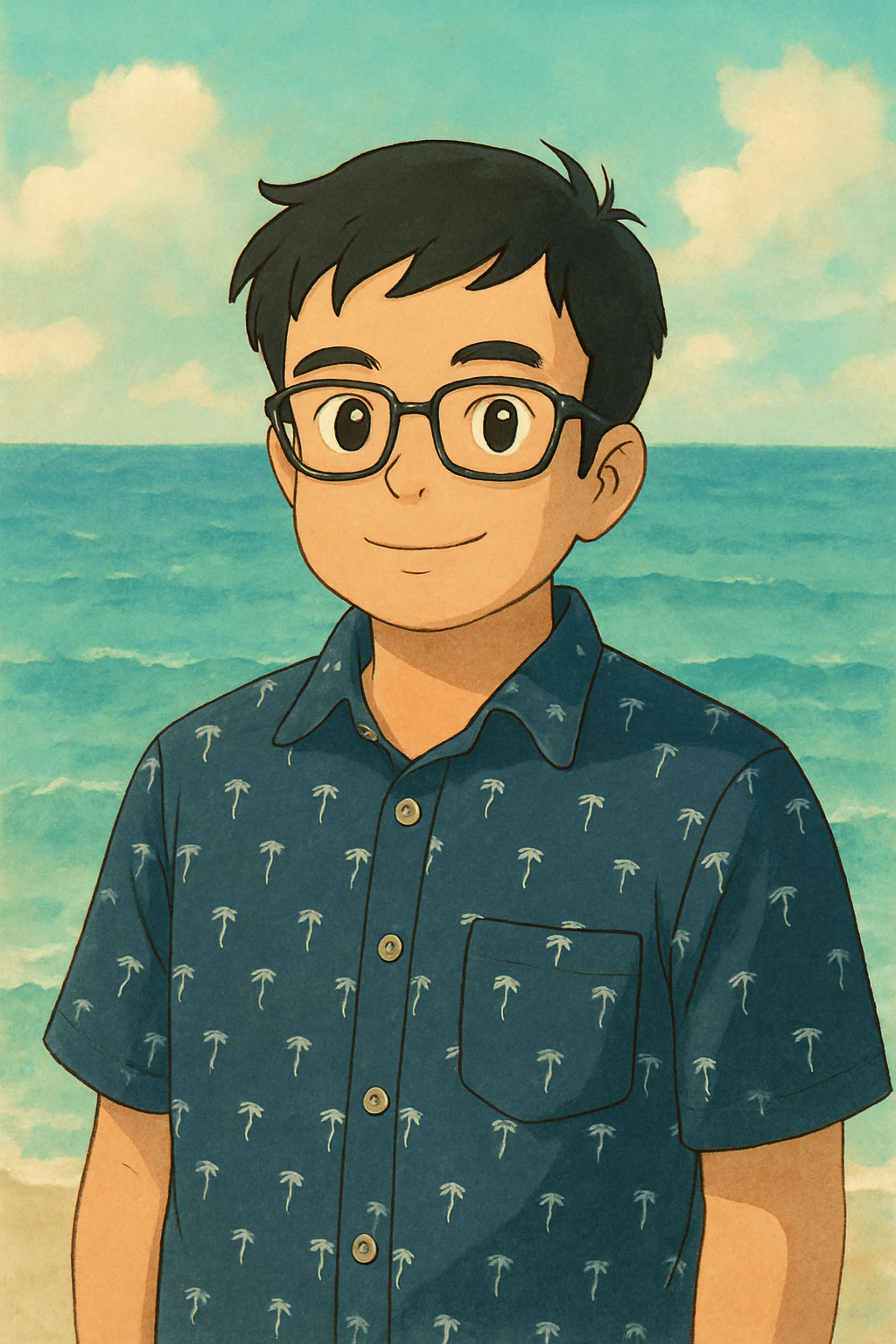
If you've been on TikTok or Instagram Reels in the last year, you've seen them: before/after AI avatar transformations that rack up millions of views. Real person on the left. Ghibli character, Minifigure, or Pixar hero on the right. The reveal moment hits every time — and the comment sections explode. Here's exactly how to make one.
Why Before/After Reveals Get Massive Engagement
The transformation format is one of the oldest engagement patterns in social media content — but AI avatar versions have a specific reason they outperform virtually every other type of before/after content: novelty and recognition happening simultaneously.
When someone watches the reveal, their brain experiences two things at once: the surprise of an unexpected visual (the AI-generated art style) and the recognition of something familiar (the person, the Ghibli aesthetic, the Minifigure iconography). That cognitive combination triggers a strong emotional response — which translates directly into comments, shares, and saves.
Comments on these videos almost always follow the same pattern: "This looks exactly like you," "Which app?" and "I need to try this." That last comment is the most valuable — it's built-in virality. Every viewer who asks for the app becomes a potential new creator who generates more content from the same trend.
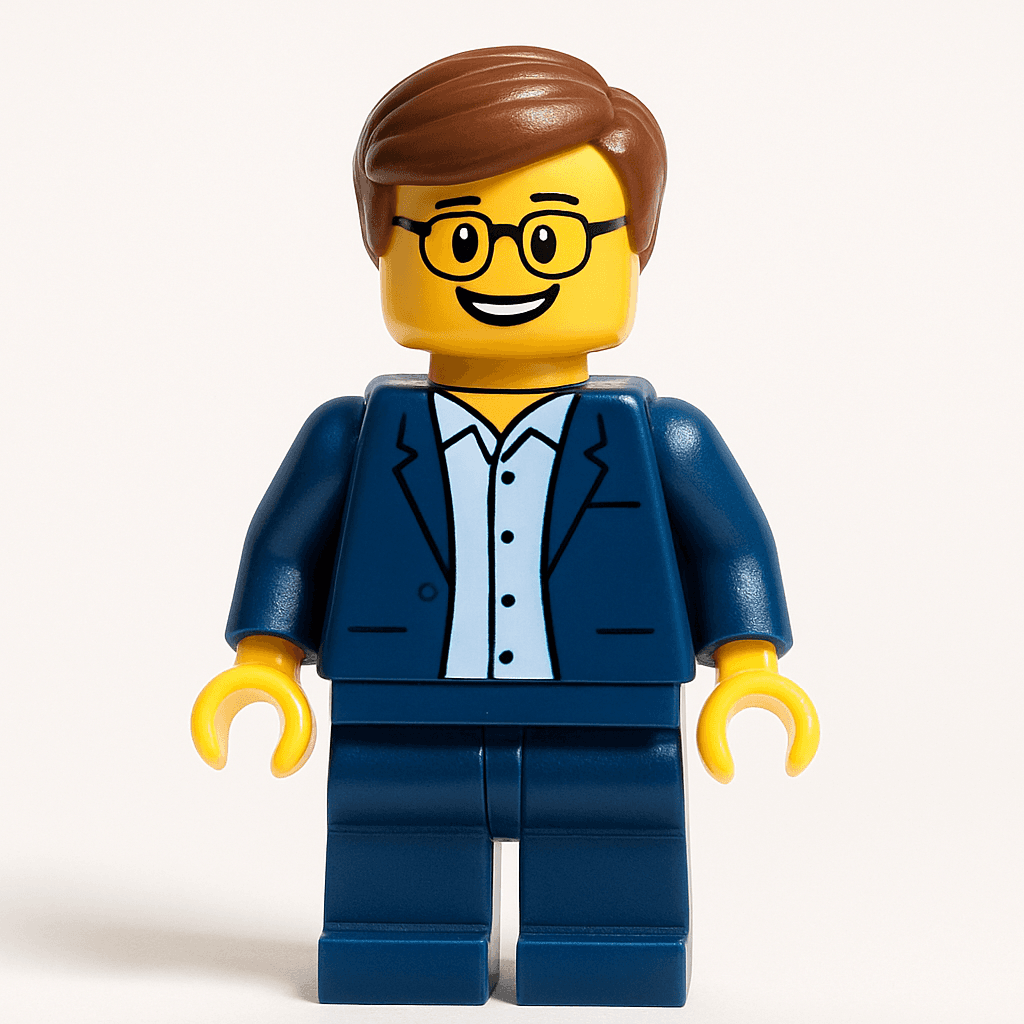
Minifigure — universal nostalgia
Studio Ghibli — highest engagement on Reels
Step-by-Step: How to Create Your Transformation Content
- 1
Take a clear selfie
Good lighting is everything — natural daylight or a well-lit indoor shot works best. Face the camera directly. The AI performs better with a clear, front-facing portrait, and your content will look more impressive when the likeness is accurate.
- 2
Generate your avatar on MiniFigureAI
Upload your selfie and choose your style. For TikTok, start with the Ghibli style or the Minifigure style — these consistently generate the most reactions. Your avatar is ready in about 30 seconds.
- 3
Download the avatar and build your video
Download the high-resolution PNG. In CapCut or TikTok's editor, create a split-screen comparing your original photo to the avatar, or use a transition effect to reveal the transformed version. Cut the reveal to a beat drop or a trending audio hook for maximum impact.
- 4
Post with trending audio and the right caption
Pick audio that's currently trending in your region — TikTok's "Sounds" tab shows what's being used on viral videos right now. Caption your video with a hook in the first line, then the question that drives comments.
Caption Templates That Work
Your caption needs to do two things: hook the viewer in the first line (before the "more" break) and invite a specific response. Here are proven templates:
For Ghibli style:
"I turned myself into a Ghibli character and I'm not okay 😭 Which character would I be? Drop your answer below"
For Minifigure style:
"POV: you just became a minifigure 🧱 Drop a 🟡 if you want to see yourself as one"
For any style:
"AI turned me into [style] and it got my [feature] RIGHT. Which style should I try next? 👇"
Hashtag Strategy
Use 5–8 targeted hashtags rather than a wall of 20 generic ones. Here's a mix that covers multiple discovery surfaces:
Add 1–2 audio-specific or trending hashtags at the time you post. The algorithm weights recency in trending topics heavily, so timing your post to an emerging audio trend can dramatically amplify reach.
Using the Story Card Feature for Instagram Stories
Instagram Stories are a different format from Reels — they're sequential, and viewers expect tapping through frames. The MiniFigureAI result page includes a shareable Story Card that formats your before/after reveal specifically for the 9:16 Stories aspect ratio. This means no manual cropping, no distortion — just a tap-through reveal that lands perfectly on the format.
For Stories, use the "Add Yours" sticker to invite followers to create their own transformations. It turns a single post into a chain reaction — followers create their own, tag you, and the original content stays in circulation for days.
Best Styles for TikTok and Reels Content
Not all styles perform equally in social content. Here's what actually gets reactions based on community trends:
- Studio Ghibli — highest engagement overall. The painterly, warm aesthetic triggers a specific emotional response that drives comments. Anime and art communities go wild for it.
- Minifigure — broadest appeal. Every generation knows minifigures. The nostalgia factor drives shares more than any other style.
- Pixar — strong in family-oriented and feel-good content. The 3D character look reads as aspirational and charming.
- Star Wars — niche but extremely loyal community. Star Wars content gets heavily shared within fan communities, which creates sustained engagement long after posting.
Frequently Asked Questions
Which AI avatar style gets the most views on TikTok?
Based on community trends, the Ghibli style and Minifigure style consistently get the highest engagement on TikTok. Ghibli triggers a strong aesthetic reaction in anime and art communities, while Minifigure has universal nostalgia appeal. Try generating both and posting them as separate videos to see which your audience responds to.
How do I make a before/after transformation video with MiniFigureAI?
Take a selfie, generate your avatar on MiniFigureAI, then use CapCut or TikTok's built-in editor to create a split-screen or transition video showing the original photo and the avatar side by side. Use a trending audio clip and cut the reveal to the beat for maximum impact.
What hashtags should I use for an AI avatar transformation post?
Use a mix of broad and specific tags: #AIavatar #avatartransformation #minifigure #GhibliAI #aiart #transformation. Add 2–3 trending audio-specific hashtags that are popular at the time you post. Avoid using too many hashtags — 5 to 8 targeted ones outperform a wall of 20 generic ones.
Ready to Make Your Own Transformation Video?
Generate your AI avatar in under 60 seconds — free on the first try, no account required. Pick a style, post the reveal, and watch the comments roll in.
No credit card required · First avatar is free