
Seasonal Guide
Create Your Met Gala Renaissance Portrait
April 2026 · 5 min read
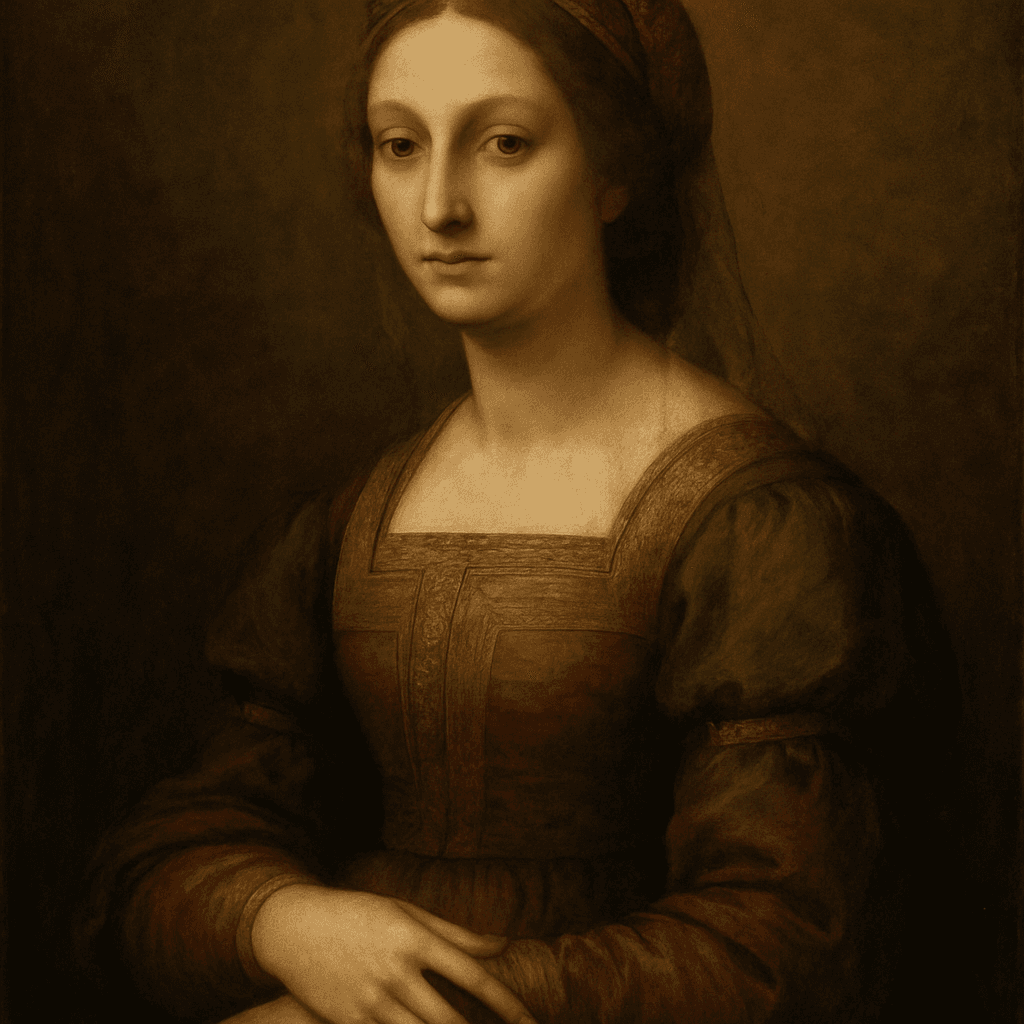
Every May, the Met Gala produces the most visually extravagant red carpet in the world — and this year the theme is Renaissance, which means five centuries of oil paint, velvet, and dramatic candlelit portraiture translated into haute couture. You do not need an invitation or a custom Versace gown to participate: MiniFigureAI turns your photo into a full Renaissance oil portrait in under 60 seconds, free to try, and striking enough to print and hang on the wall.
Step-by-Step Guide
- 1
Upload your photo
Head to minifigureai.com and upload a clear, well-lit photo of yourself or whoever you want to transform. A front-facing shot with good lighting produces the sharpest likeness — think passport photo quality, not a blurry birthday snap. Any recent photo where the face is clearly visible works perfectly. - 2
Pick the Renaissance style
Select the Renaissance style from the style picker. This style renders your likeness as an oil-painted Renaissance portrait — rich jewel tones, elaborate fabric textures, dramatic chiaroscuro lighting, and compositional framing straight out of a 15th-century Flemish master's studio. It is the Met Gala red carpet, reimagined as a painting that has hung in a gallery for five hundred years. - 3
Generate your avatar
Hit generate. The AI produces a high-resolution Renaissance portrait in about 30 seconds. The result captures your actual likeness — bone structure, coloring, expression — rendered in full period-accurate painterly detail. Generate a few variations to find the one that feels most like you at your most regal. - 4
Download the high-resolution PNG
Download your finished portrait as a high-resolution PNG. It prints cleanly at any standard size — 4x6, 5x7, or 8x10 — and looks striking at larger formats too. The file is also optimized for social sharing without any compression artifacts. - 5
Share it, frame it, or gift it
Post your Renaissance avatar to Instagram or TikTok during Met Gala week, when the visual language of the theme is everywhere and your portrait will land perfectly in the feed. Or print and frame it as a gift for the fashion-obsessed person in your life — a 5x7 framed print from any online photo service costs under $15 and looks genuinely extraordinary on a wall.
Tips for the Best Results
- Use a photo with natural or soft front lighting. Renaissance portraits are defined by dramatic light-and-shadow contrast. The AI reads the lighting in your source photo and builds on it. A well-lit front-facing photo gives the model the most to work with and produces the richest output.
- Solid or simple backgrounds produce cleaner results. The Renaissance style replaces your background with a painted backdrop, but a cluttered source photo can bleed into the foreground. A plain wall, a window, or even a simple outdoor setting keeps the focus on your face and clothing.
- Dress the part if you can. Wearing something with structure — a blazer, a high collar, a velvet jacket — gives the AI more costume detail to translate into period-accurate fabric rendering. The style works with anything, but structured clothing tends to produce the most convincing painted-portrait effect.
- Generate multiple portraits for a gift set. The same person rendered in three slightly different crops or expressions makes a compelling triptych. Print all three at 4x6, frame them together, and you have a wall installation that looks like it belongs in a boutique hotel lobby rather than a home printer project.
- Post during Met Gala week for maximum reach. The Met Gala red carpet dominates social media for three to four days every year. Posting your Renaissance avatar in that window puts it directly into a conversation that millions of people are already watching. Add the relevant hashtags and it becomes part of the cultural moment rather than a standalone post.
Renaissance style — oil-painted Met Gala portrait
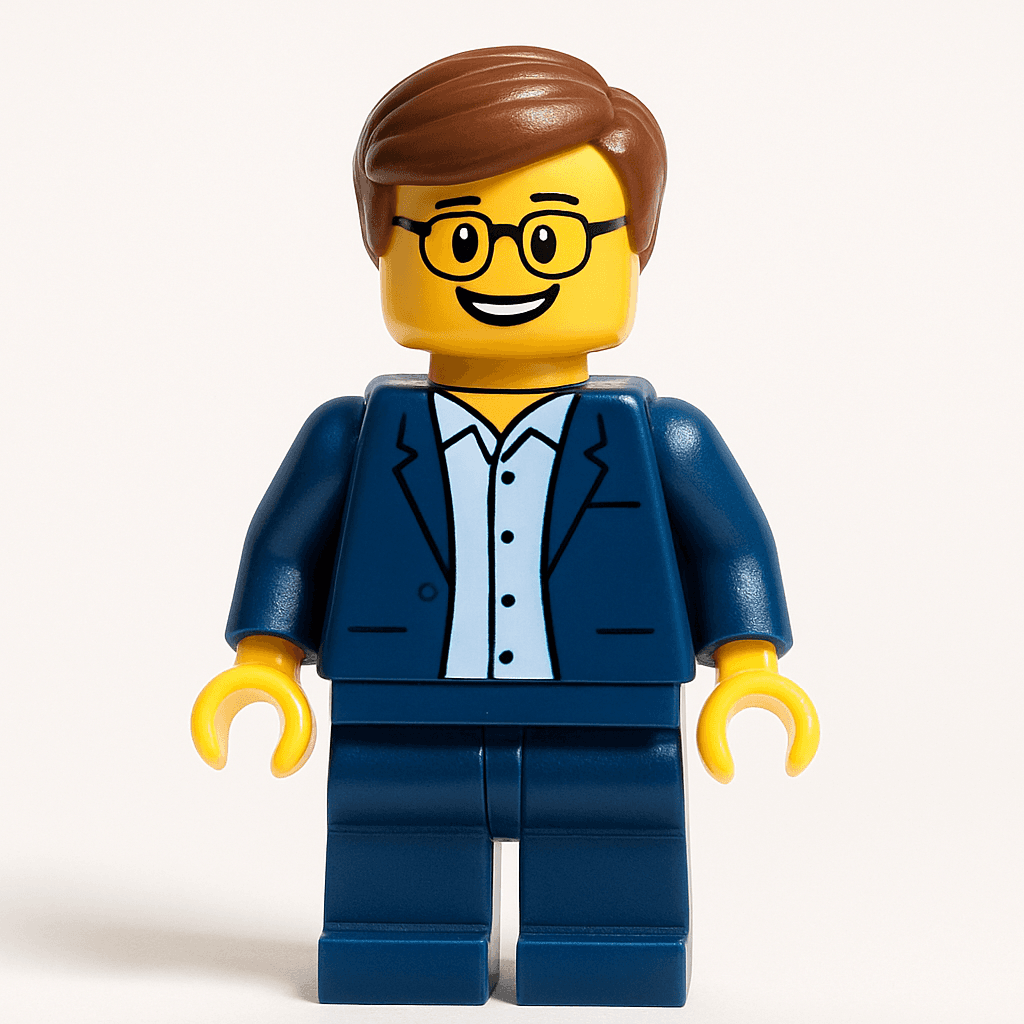
Minifigure style — a playful counterpart
Why the Renaissance Style Works So Well as a Gift
- It is genuinely striking. A well-rendered Renaissance portrait looks like it belongs in a museum, not on a phone screen. The oil-paint texture, the dramatic lighting, and the period-accurate costume details make it feel like a real artwork — not a filter.
- It flatters everyone. Renaissance painters were instructed to make their subjects look dignified and timeless. The AI does the same — it renders the person at their most composed, most regal, most "hanging in the Uffizi" version of themselves.
- It is immediately shareable. Fashion-aware audiences on Instagram and TikTok understand the visual language of a Renaissance portrait during Met Gala week. The image lands in a context where people are already primed to appreciate it.
- It costs almost nothing. Your first avatar is free. Additional credits start at $2.99 — a fraction of what a custom commissioned portrait painting would cost (typically $200 and up from a human artist, with a multi-week wait).
- It prints beautifully. Unlike digital-only novelties, the high-resolution PNG prints at gallery quality. A framed 8x10 Renaissance portrait of someone you love is a gift they will hang on the wall and keep for years.
4 Ways to Present a Renaissance Avatar Gift
1. Framed wall print
Print at 5x7 or 8x10 through Shutterfly, Walmart Photo, or Snapfish and drop it into a dark wood or ornate gold frame. At a glance, the combination of a painterly portrait and a period-appropriate frame reads as a genuine antique painting — especially at arm's length. Total cost under $20 including the frame — and it ends up on the wall permanently.
2. Social media reveal
Send the avatar as a Met Gala week surprise — DM it, text it, or drop it in a group chat while the red carpet coverage is happening. The recipient almost always reposts it immediately. For extra engagement, record the generation process in real time and post the transformation side-by-side video to Reels or TikTok.
3. Custom card insert
Use the Renaissance portrait as the cover image on a custom greeting card made in Canva. Print it at home or through a card service. Unlike a store-bought card, it gets kept — propped on the mantlepiece or tucked into a frame alongside the portrait itself.
4. Triptych portrait set
Generate the same person three times — slightly different expressions or crop settings — and arrange all three prints in a row. A matching set of three 4x6 Renaissance portraits in simple frames looks deliberate and artistic, the kind of thing a gallery would charge $300 for. You can build the whole set for under $25 in printing and frames.
Other Styles Worth Pairing With the Renaissance Look
The Renaissance style is the obvious choice for Met Gala week, but MiniFigureAI has 50+ styles across every visual genre. These pair particularly well with the Renaissance portrait as a contrast or complement:
- Studio Ghibli — The hand-painted, watercolor warmth of the Ghibli style is a natural companion to the Renaissance portrait. Both feel like genuine artworks rather than digital effects. Generate both and present them as a diptych — "Old World and New World" — for a gift that tells a visual story.
- Pixar — For the person who loves fashion but does not take themselves too seriously, the Pixar style is the perfect comic counterpart to the Renaissance portrait. Same face, wildly different energy — and side by side, they make a genuinely funny and affectionate pairing.
- Minifigure — The classic LEGO Minifigure style works as an irreverent contrast to the grandeur of the Renaissance portrait. It is the kind of combination that gets shared — "same person, five hundred years apart, and also made of plastic."
Frequently Asked Questions
How much does a Renaissance avatar cost?
Your first avatar is completely free — no account or credit card required. After that, credit packages start at $2.99, and each credit generates one high-resolution avatar in any style. A three-style gift set (Renaissance plus two others) costs $2.99 at standard pack pricing. That is significantly less than a commissioned portrait painting, a framed art print from a boutique, or even a decent bunch of flowers.
How long does it take to generate a Renaissance portrait?
The avatar generates in about 30 seconds after you upload a photo. There is no queue or waiting period for standard generation. You can have the finished high-resolution PNG ready to share or send to a print service within two minutes of starting.
What kind of photo produces the best Renaissance portrait?
A clear, well-lit, front-facing photo produces the strongest likeness. Natural light from a window or soft indoor lighting works well. Avoid heavy shadows across the face, extreme angles, or photos where the face is partially obscured. A recent portrait or even a good phone selfie is sufficient — no professional photography required.
Is the file quality good enough to frame and hang?
Yes. MiniFigureAI generates high-resolution PNG files that print sharply at standard framing sizes — 4x6, 5x7, and 8x10 all look excellent. For larger formats like 11x14 or A2 poster prints, use a professional print service that handles upscaling. Most people frame the 5x7 or 8x10 size, which prints beautifully at any online photo service for under $10.
Can I generate a Renaissance portrait of someone else as a gift?
Yes — and that is one of the most popular uses. Upload a photo of the person you want to gift it to, generate the Renaissance portrait, and present it however fits the occasion: framed, as a card, or sent digitally during Met Gala week. The recipient gets a one-of-a-kind piece of personalized art that captures their actual likeness in a style that looks genuinely impressive.
Create Your Met Gala Renaissance Portrait
Upload a photo and generate your Renaissance avatar in under 60 seconds. First avatar is free — no account required.
Create Renaissance Avatar — FreeNo credit card required · First avatar is free
MiniFigureAI is an independent product and is not affiliated with, endorsed by, or sponsored by LEGO Group, Disney, Pixar, Lucasfilm, Nintendo, Mojang Studios, Marvel, DC Comics, Studio Ghibli, or any other brand mentioned on this page. All trademarks belong to their respective owners. Avatars are AI-generated artwork inspired by popular art styles.