
Seasonal Guide
Scary Good Halloween AI Avatars for 2026 — No Costume Required
September 2026 · 5 min read
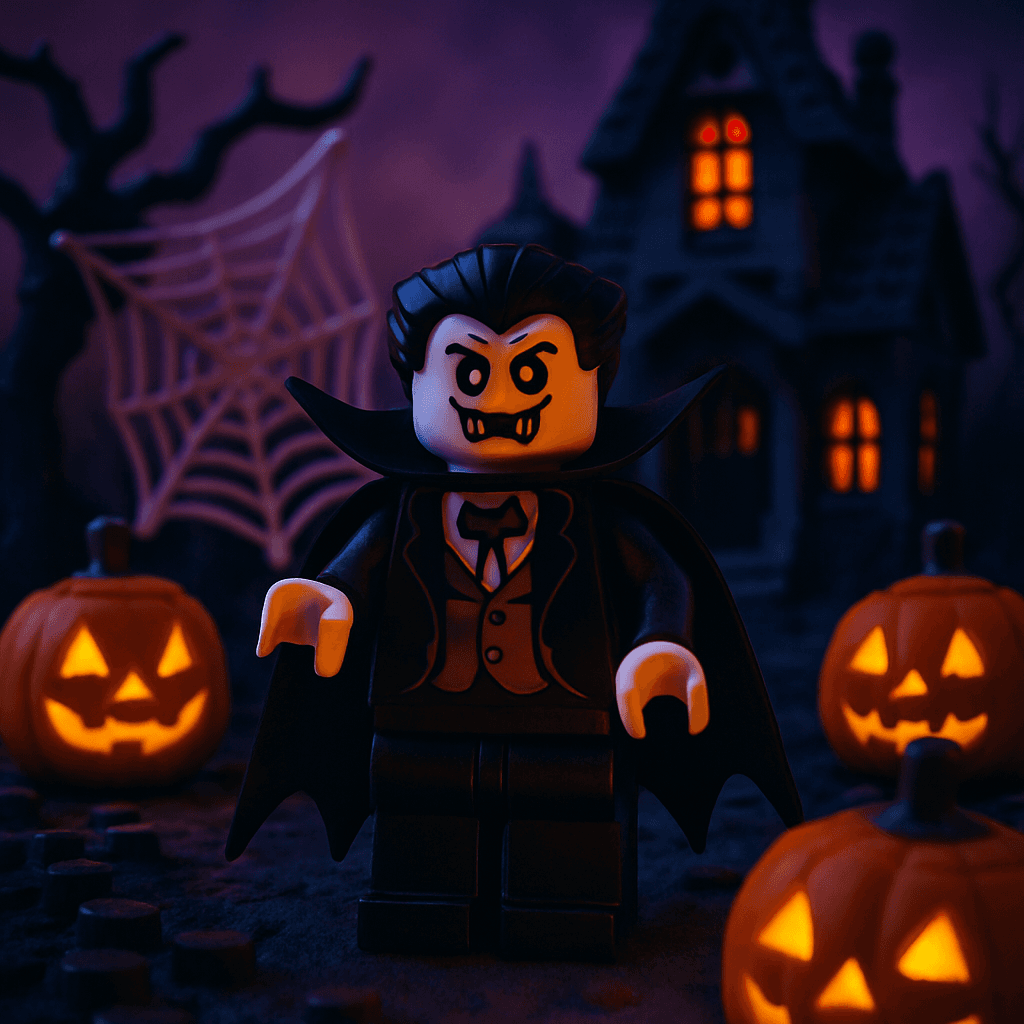
Halloween 2026 is the perfect excuse to turn your photo into something delightfully terrifying — and a personalized Halloween AI avatar from MiniFigureAI does it in under 60 seconds without requiring a single piece of costume. Whether you want a spooky profile picture, a unique Halloween gift for a friend, or a printable decoration that features an actual face people recognize, this guide walks you through exactly how to make one. Your first avatar is free — no account required.
Step-by-Step Guide
- 1
Upload your photo
Head to minifigureai.com and upload a clear, front-facing photo where your face is well-lit and unobstructed. A recent portrait or selfie works perfectly — you do not need a professional photo or a Halloween costume already on. - 2
Pick the Halloween style
Select the Halloween style from the style picker. The AI transforms your likeness into a spooky illustrated portrait — think dramatic lighting, haunted atmosphere, and classic Halloween iconography like witch hats, vampire capes, or monster features woven naturally into the scene. Every result is unique to the face you upload. - 3
Generate your avatar
Hit generate and the AI produces your Halloween avatar in about 30 seconds. The output is a high-resolution portrait that keeps your recognizable likeness while fully committing to the Halloween aesthetic. Generate the same photo in multiple styles to build a set of Halloween alter-egos. - 4
Download the high-resolution PNG
Download your finished Halloween avatar as a high-resolution PNG. It prints cleanly at standard photo sizes — 4x6, 5x7, or 8x10 — and is ready for social sharing, digital sending, or print-on-demand services the moment it downloads. - 5
Share it, print it, or give it as a Halloween gift
Post your Halloween avatar to Instagram or TikTok as your seasonal profile swap, print it for a party decoration, or gift it to a friend who loves Halloween. A framed Halloween avatar makes a genuinely unexpected gift that costs under $15 total and lands far better than a bag of candy.
Tips for the Best Results
- Use a well-lit, front-facing photo for the sharpest likeness. The AI captures facial features most accurately when the face is evenly lit and clearly visible. Avoid sunglasses, heavy shadows, or photos where the face is turned sharply to one side. A simple portrait or selfie taken near a window works better than a dimly lit party photo.
- Generate multiple styles to find the right monster for your personality. The Halloween style produces different results each time — some outputs lean witch, others lean vampire or creature-of-the-night. Run two or three generations from the same photo and pick the one that fits best. Credits are inexpensive enough that experimenting is worth it.
- Pair the Halloween avatar with the Minifigure style for a double reveal. Generate the same person in the Halloween style and then in the{" "}Minifigure style for a side-by-side comparison post. The contrast between the spooky portrait and the blocky LEGO figure makes for an entertaining social media pairing that gets more engagement than a single image.
- Gift a Halloween avatar to a friend who refuses to wear a costume. For the person in your life who insists they are too cool for Halloween, a personalized AI Halloween avatar delivers the costume experience without requiring them to put anything on. Send it as a text or DM the night before Halloween — it is the kind of thing that gets immediately reposted.
- Print and frame it as seasonal decor that doubles as a gift. A 5x7 Halloween avatar printed and framed costs under $15 at any online photo service. It works as a party decoration during the season and becomes a keepsake after. Give one to a Halloween-obsessed friend and it will appear on their mantel every October.
Halloween style — spooky portrait
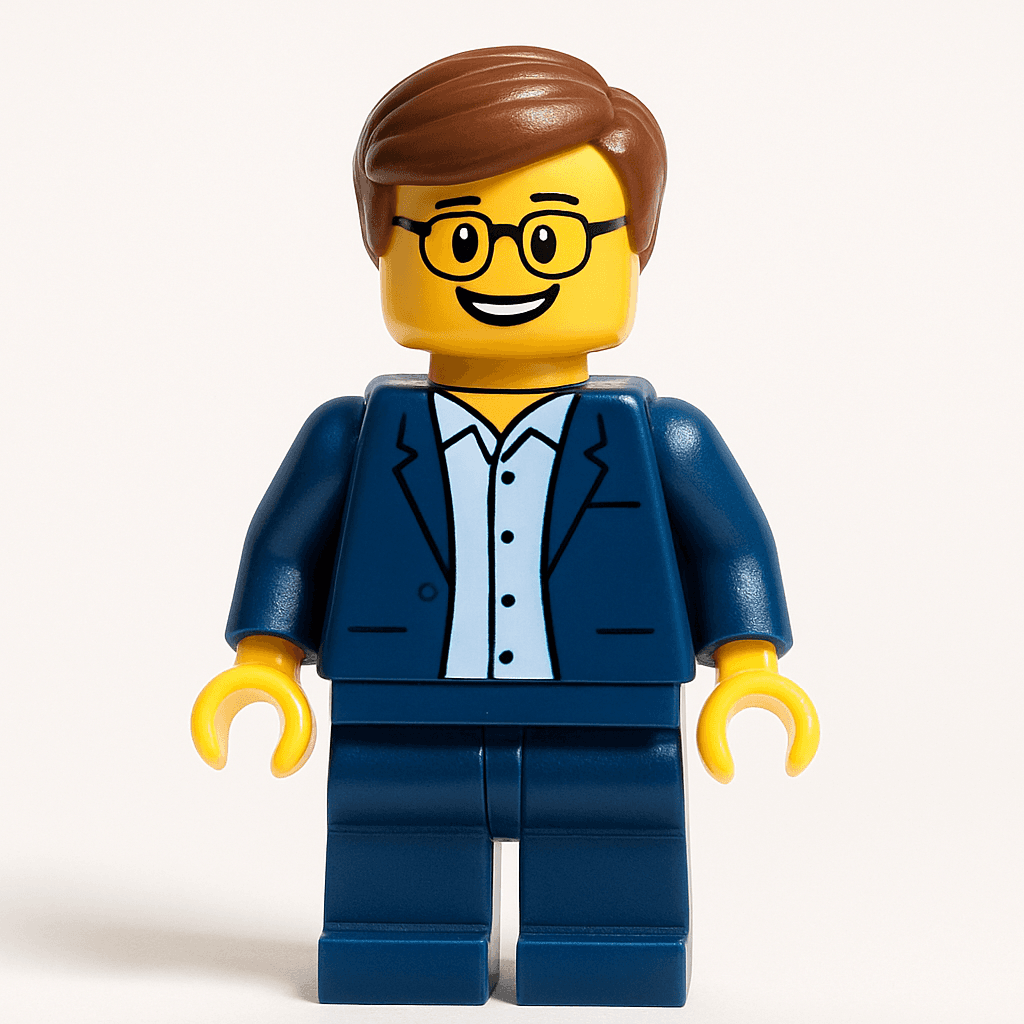
Minifigure style — a fun Halloween pairing
Why a Halloween Avatar Makes a Better Gift Than a Bag of Candy
- Personal. A Halloween avatar is built from the recipient's own face — it is not something pulled off a shelf. That specificity is what makes it memorable where a standard Halloween gift is forgotten by November.
- Instantly shareable. Halloween is one of the most active social media holidays of the year. A personalized spooky avatar gets posted to Instagram and TikTok almost immediately, which means the gift keeps generating attention long after it is received.
- Affordable. The first avatar is free. Additional credits start at $2.99 — a fraction of the $30–$60 a custom costume accessory or specialty Halloween item costs, and it arrives in under a minute rather than days.
- No costume required. For friends, coworkers, or family members who skip Halloween costumes entirely, an AI avatar gives them a way to participate in the season on their own terms — no commitment, no effort, no embarrassment.
- Printable as decor. The high-resolution PNG prints beautifully as a party decoration, a greeting card insert, or a framed seasonal piece. Unlike candy or a novelty item, a framed Halloween portrait actually ends up displayed somewhere.
4 Ways to Share or Present a Halloween Avatar
1. Digital reveal on Halloween night
Send the avatar as a text or DM on October 31st as a Halloween surprise. Generate it from a photo the recipient does not know you have — a recent candid works well — and send it with no explanation. The reaction is almost always immediate and enthusiastic, and it gets reposted within minutes.
2. Framed party decoration
Print the Halloween avatar at 5x7 or 8x10 and frame it in a dark or ornate frame for instant Halloween decor. Make one for each guest at a Halloween party and use them as place settings or table decorations — guests take them home as party favors. Total cost per print: under $10.
3. Seasonal profile picture swap
Use the Halloween avatar as your profile picture across Instagram, TikTok, or WhatsApp for the month of October. It is a low-effort way to participate in the season and consistently generates comments and questions about where it was made — which is free word-of-mouth for the people you share it with.
4. Halloween card with a custom cover
Use the avatar as the cover image on a custom Halloween card. Canva has free card templates — drop the PNG in, add your message, and print at home or through any print service. A Halloween card featuring the recipient's own face in monster form is guaranteed to get kept rather than recycled.
Other Styles for Halloween — Match the Monster to the Person
The Halloween style is the go-to for October, but the best gift matches who the person actually is. Consider pairing the Halloween avatar with one of these complementary styles:
- Minifigure — A Halloween Minifigure avatar combines the spooky season with the universally beloved LEGO aesthetic. Generate the same person in both styles and present them side by side for a Halloween gift set that works for any age.
- Pixar — For the Halloween fan who also loves animated films, a Pixar-style avatar captures the warmth and expressiveness of studio animation with a seasonal twist. It lands especially well as a gift for kids or for the adult who never outgrew Halloween.
- Studio Ghibli — The painterly, atmospheric Ghibli style pairs naturally with Halloween's mood of mystery and shadow. For someone who prefers their Halloween beautiful rather than grotesque, the Ghibli avatar is the more artistic alternative to a straight monster portrait.
Frequently Asked Questions
How much does a Halloween AI avatar cost?
Your first Halloween avatar is completely free — no account or credit card required. After that, credit packages start at $2.99, and each credit generates one high-resolution avatar in any style. Generating a set of two or three Halloween avatars — one for yourself and one to gift — costs a few dollars at most, which is less than a single Halloween decoration from a seasonal store.
What kind of photo produces the best Halloween avatar?
A clear, front-facing photo with even lighting gives the sharpest likeness. Avoid photos with heavy shadows across the face, sunglasses, masks, or significant head tilt. A recent portrait or well-lit selfie works perfectly. You do not need a Halloween costume already on — the AI adds the spooky elements to any photo.
How long does it take to generate a Halloween avatar?
The avatar generates in about 30 seconds after you upload your photo. There is no queue or waiting period for standard generation. You can upload, generate, and download a finished Halloween avatar in under two minutes — fast enough to make one as a same-day gift or last-minute Halloween post.
Can I print the Halloween avatar for decorations or framing?
Yes. MiniFigureAI produces a high-resolution PNG that prints cleanly at standard photo sizes — 4x6, 5x7, and 8x10 all look excellent. For seasonal decor, a 5x7 or 8x10 print in a dark frame costs under $15 total from any online photo service and doubles as a Halloween decoration and a personal keepsake.
Can I generate Halloween avatars for a group or party?
Yes. Upload photos of each person individually for the sharpest individual results, then generate a Halloween avatar for each one. For a Halloween party, print each guest's avatar and use them as place cards or party favors — every person gets a personalized spooky portrait to take home. Arrange them side by side in Canva to create a group "haunted portrait" for the host.
Create Your Halloween Avatar — Free
Upload a photo and generate a spooky personalized Halloween avatar in under 60 seconds. First avatar is free — no account or costume required.
Create Halloween Avatar — FreeNo credit card required · First avatar is free
MiniFigureAI is an independent product and is not affiliated with, endorsed by, or sponsored by LEGO Group, Disney, Pixar, Lucasfilm, Nintendo, Mojang Studios, Marvel, DC Comics, Studio Ghibli, or any other brand mentioned on this page. All trademarks belong to their respective owners. Avatars are AI-generated artwork inspired by popular art styles.