
Seasonal Guide
AI Avatar Graduation Gifts Your Graduate Will Actually Keep
March 2026 · 6 min read
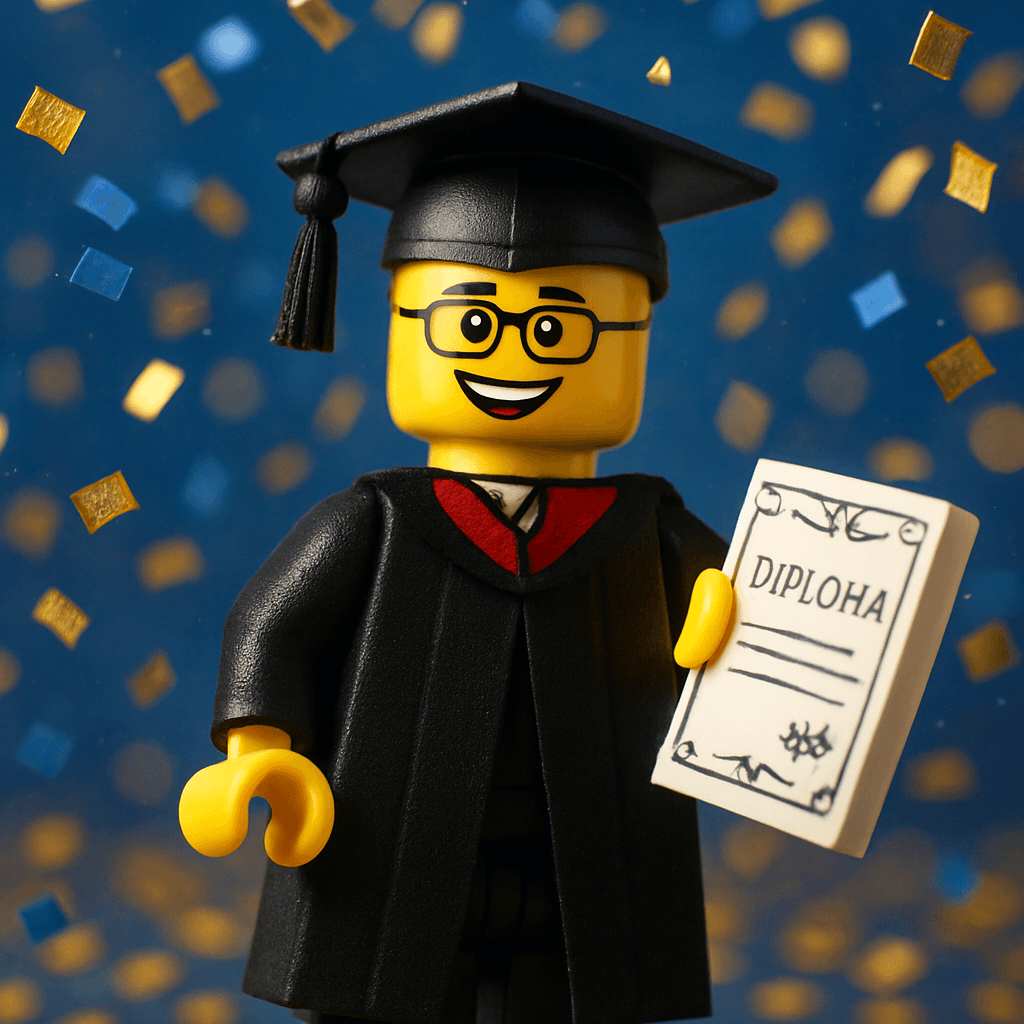
Graduation season is the time when everyone gets flowers, cards, and gift cards. Stand out with something they will actually keep: a personalized AI avatar of the graduate in cap and gown — or in their dream career outfit, as a superhero, or in any of 50+ styles. It takes under 60 seconds to make, costs less than a greeting card, and ends up on their desk for years.
Step-by-Step Guide
- 1
Upload the graduate's photo
Go to minifigureai.com and upload a clear, well-lit photo of the graduate. A front-facing photo where their face is clearly visible produces the most accurate likeness. You can use a photo you already have — no professional shoot required. - 2
Pick the Graduation style
Select the Graduation style from the style picker to generate a cap-and-gown avatar complete with graduation details. You can also choose any of the 50+ other styles — dream career, superhero, fantasy, or fan-favourite universes — for a gift that goes beyond the ceremony itself. - 3
Generate your avatar
Hit generate and watch the AI transform the photo in about 30 seconds. The result is a high-resolution portrait that captures the graduate's likeness in the chosen style. Generate as many styles as you like to build a multi-avatar gift set. - 4
Download the high-resolution PNG
Download the finished avatar as a high-resolution PNG file. It prints sharply at any standard gift size — 4x6, 5x7, or 8x10 — and works perfectly for digital delivery, social sharing, or print-on-demand services. - 5
Print, frame, or share it as the gift
Present your graduation avatar however fits the occasion — print and frame it, add it to a custom card, turn it into a sticker sheet, or send it as a digital reveal. See the presentation ideas below for the most popular ways to package an avatar gift.
Tips for the Best Results
- Cap-and-gown photos work perfectly. If you have access to a photo of the graduate already in their graduation attire, upload that one — the AI will incorporate the ceremonial details naturally into the styled output.
- Try the Graduation style for the themed version. The dedicated Graduation style generates an avatar in cap and gown with graduation-specific visual elements. It is the most direct way to create a graduation keepsake.
- Group photos create a "Class of 2026" set. Generate each graduate in the group individually, then arrange them side by side in Canva for a class portrait. Every person gets their own copy, and the group version goes on the wall.
- Pair with other styles for a multi-avatar gift set. Generate the same person in the Graduation style plus one or two others that match their personality — Ghibli, Pixar, or their favourite fandom. Present them together as a set that says 'this is who you were, and this is who you're becoming.'
- Print and frame for a lasting keepsake. A 5x7 framed print from any online photo service costs under $15 total. It ends up on the desk in the new apartment and stays there for years — unlike flowers, cards, or gift cards.
Graduation style — cap and gown
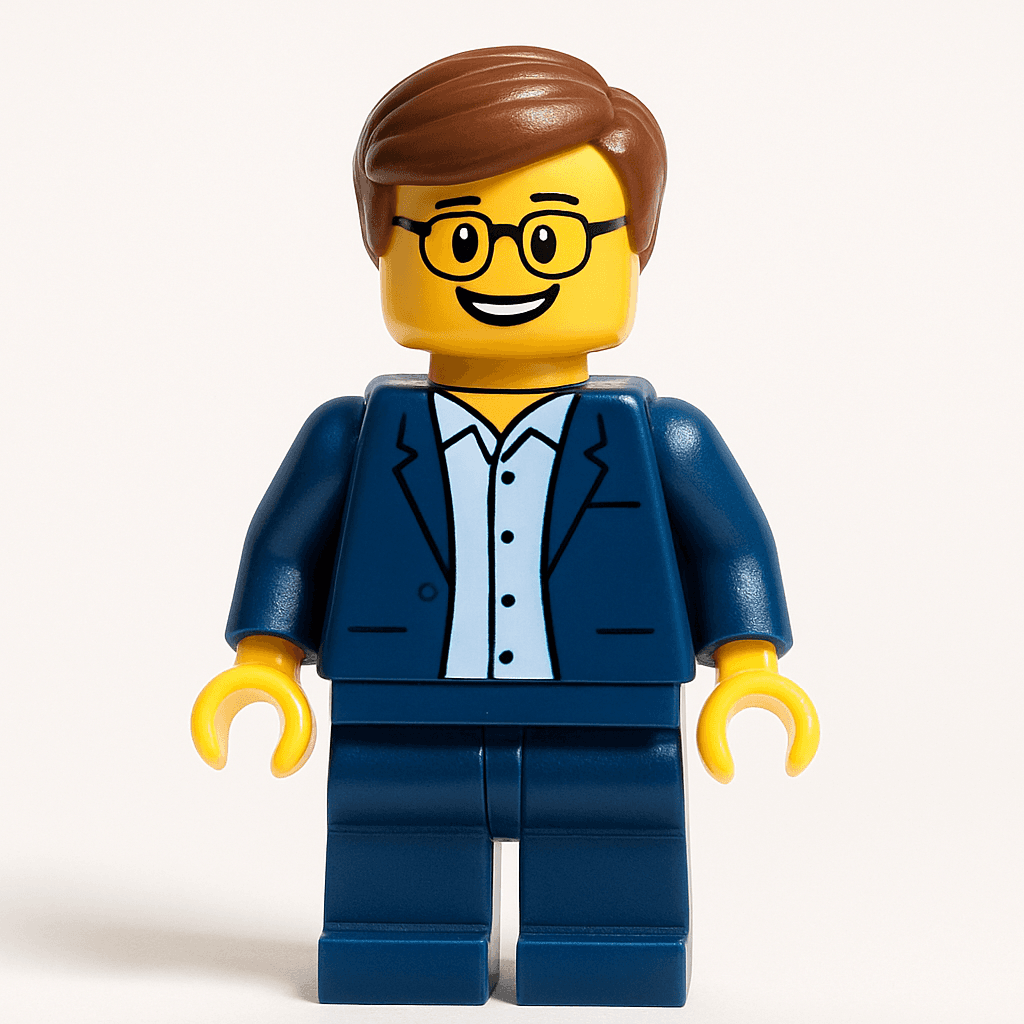
Minifigure style — a fun pairing
Why Avatar Graduation Gifts Work
- Unique. There is no version of this gift sitting on a shelf at CVS. A personalized avatar of the graduate is something that has never existed before — made specifically for them, capturing their likeness at this exact moment in their life.
- Personal. The gift communicates that someone thought about them specifically, not just grabbed something convenient. That is what separates a memorable gift from a forgettable one.
- Affordable. Your first avatar is free. Additional credits start at $2.99 — far less than the $30–$80 a custom physical figure from a specialty shop costs, with no wait time or shipping.
- Shareable. Graduates immediately want to post their avatar on Instagram or TikTok. The gift effectively doubles as a social media moment, which for a 2026 graduate is its own kind of currency.
- Keepsake-quality. The high-resolution PNG prints beautifully at any standard photo size. Framed on a desk or shelf, it is the kind of thing that travels with someone from apartment to apartment and never gets thrown out.
5 Ways to Present Your Graduation Avatar Gift
1. Framed print
Print the avatar at any online photo service — Shutterfly, Walmart Photo, or Snapfish — and drop it into a simple 5x7 or 8x10 frame. Total cost: under $15. It goes straight from the envelope to the desk, where it stays for years. Add a small plaque or handwritten card with the graduation year for extra impact.
2. Custom graduation card
Use the avatar as the cover image on a custom greeting card. Canva has free greeting card templates — drop the PNG in, add your message inside, and print it at home or through a print service. Unlike a store-bought card that gets recycled, this one usually ends up propped on the mantel or bulletin board for months.
3. Social media reveal
Send the avatar digitally as a graduation day surprise — text it, DM it, or share it in a group chat as a public reveal. Graduates almost always repost it immediately. For extra effect, record yourself generating it in real time and post the transformation video to TikTok or Instagram Reels with the graduate tagged.
4. Class group portrait
Generate every member of the graduating group — a friend group, a sports team, a work cohort — and arrange them into a single "Class of 2026" poster using Canva. Print it as a large format poster and give everyone a copy. It is the kind of gift that gets framed at the house and becomes a permanent fixture.
5. Sticker sheet
Print the avatar on printable vinyl and cut it into stickers using a Cricut cutting machine — or use a sticker printing service like Sticker Mule. Graduates will put them on water bottles, laptops, notebooks, and phone cases. See our Cricut sticker guide for the exact settings and materials.
Other Styles for Graduates — What's Their Personality?
The Graduation style is the obvious choice, but the best graduation gift matches who the person is becoming — not just the ceremony they just finished. Consider pairing the graduation avatar with one of these:
- Minifigure — The iconic blocky LEGO style. Works for every personality, universally nostalgic, and immediately recognisable. A graduation Minifigure side by side with a dream-career Minifigure makes a great two-print set.
- Studio Ghibli — For the graduate who re-watches Spirited Away at least once a year. The painterly, whimsical style feels genuinely artistic and is the one most likely to end up framed as actual wall art.
- Pixar — For the graduate who cried during the Up opening and considers that a personality trait. The Pixar style produces warm, expressive portraits that feel like a movie still — and graduates always love seeing themselves as the main character.
- Star Wars — For the sci-fi fan or the graduate who has been quoting "May the Force be with you" since middle school. A Star Wars avatar of the new graduate in Jedi robes hits exactly right as a graduation gift for him (or her).
Frequently Asked Questions
How much does a graduation avatar gift cost?
Your first avatar is completely free — no account or credit card required. After that, credit packages start at $2.99, and each credit generates one high-resolution avatar in any style. For a multi-style gift set (graduation + Pixar + Ghibli, for example), three credits totals $2.99 at standard pack pricing. Compare that to flowers at $40 or a gift card at $25 and the value is obvious.
Can I use their actual graduation photo?
Yes — and it often produces the best results. If you have a photo of the graduate already in cap and gown, upload that. The AI will incorporate the ceremonial details naturally into the styled output. Any clear, well-lit photo where their face is visible will work, whether it's from the ceremony, a rehearsal, or just a recent portrait.
Does it work with group graduation photos?
Yes. Upload a group photo and the AI will generate an avatar based on the full image. For the sharpest individual results, generate each person separately from a solo photo — then arrange the individual avatars side by side in Canva to create a group portrait. This approach gives you the best of both worlds: individual keepsakes and a group print.
Is the print quality good enough to frame?
Yes. MiniFigureAI generates high-resolution PNG files that print sharply at standard framing sizes — 4x6, 5x7, and 8x10 all look excellent. For very large prints (11x14 or bigger), use a professional print service that handles upscaling. Most graduates frame the 5x7 size, which prints beautifully at any online photo service for under $5.
How fast can I get the avatar if graduation is soon?
The avatar generates in about 30 seconds after you upload a photo — there is no waiting period or queue for standard generation. You can have the digital file ready to share or send to a print service within minutes. If you are printing and framing it, standard shipping from most online photo services is 2–5 business days, so you can order with a week to spare.
Create a Graduation Gift They'll Remember
Upload a photo and generate a personalized graduation avatar in under 60 seconds. First avatar is free — no account required.
Create a Graduation Gift — FreeNo credit card required · First avatar is free
MiniFigureAI is an independent product and is not affiliated with, endorsed by, or sponsored by LEGO Group, Disney, Pixar, Lucasfilm, Nintendo, Mojang Studios, Marvel, DC Comics, Studio Ghibli, or any other brand mentioned on this page. All trademarks belong to their respective owners. Avatars are AI-generated artwork inspired by popular art styles.