
Seasonal Guide
Your Avatar in Full Autumn Color — Fall Forest Style 2026
August 2026 · 5 min read
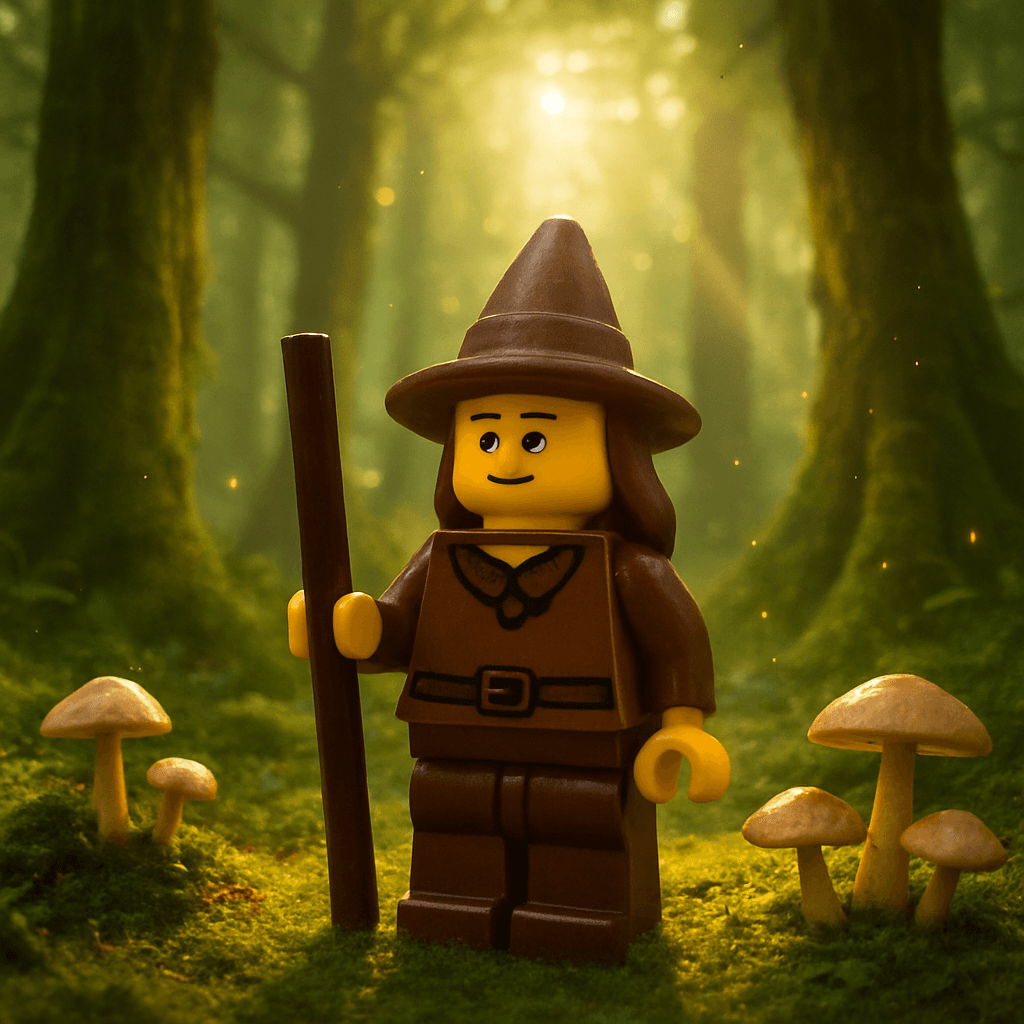
Every autumn, the same profile photos recycle through every feed — pumpkin patches, candid leaf-pile shots, and the obligatory PSL cup. A personalized fall forest avatar gives you something genuinely different: your own likeness set inside a richly painted autumn canopy, warm with amber and sienna, in under 60 seconds. This guide walks you through exactly how to create yours — or turn it into a seasonal gift someone will actually keep — and it's free to try with no account required.
Step-by-Step Guide
- 1
Upload your photo
Head to minifigureai.com and upload a clear, well-lit photo of yourself or the person you want to turn into a fall forest avatar. A front-facing photo with a visible face produces the sharpest likeness — a recent selfie or portrait works perfectly. - 2
Pick the Forest style
Select the Forest style from the style picker. This style wraps your avatar in the full palette of autumn — deep amber canopies, rust-red leaves, golden afternoon light filtering through the trees. The result feels like a painterly portrait taken on the best fall day of the year. - 3
Generate your avatar
Hit generate and the AI transforms your photo in about 30 seconds. The output is a high-resolution portrait that captures your likeness set against rich autumn forest scenery. Generate multiple styles in one session to build a seasonal set for yourself or as a gift. - 4
Download the high-resolution PNG
Download the finished avatar as a high-resolution PNG. It prints cleanly at 4x6, 5x7, or 8x10 and looks sharp on any screen. Use it as a profile photo, send it digitally, or take it straight to a print service for a framed keepsake. - 5
Share, print, or gift it
Post the avatar as your seasonal profile photo across Instagram, TikTok, or wherever you show up online. Print it and frame it as a fall gift for someone who appreciates the season. Pair it with a handwritten card for a personal touch that costs less than a bouquet and lasts considerably longer.
Tips for the Best Results
- Use a photo taken in natural light. The Forest style builds on the existing light and color in your source photo. A well-lit photo — taken near a window or outdoors on an overcast day — gives the AI the most to work with and produces warmer, more detailed autumn tones in the final avatar.
- Outdoor photos already in fall settings look exceptional. If you have a photo taken outside among trees or in a park, upload that one. The AI layers the Forest style naturally on top of existing outdoor context, and the result reads less like a generated image and more like a genuine autumn portrait.
- Generate the same person in two or three autumn styles for a gift set. Pair the Forest style with a Ghibli or watercolor avatar of the same person. Present all three prints together in matching frames as a seasonal gift set — it costs under $20 total and looks like something from a boutique print shop.
- Profile photos update best in early autumn. Posting a seasonal avatar in August or early September puts you ahead of the fall content wave. Your profile photo stands out before everyone else updates theirs, and followers notice the aesthetic change right away.
- Print on matte paper for the most painterly look. When printing the forest avatar, request matte finish rather than glossy. The matte surface mimics the texture of fine art prints and makes the autumn color palette feel richer and more intentional — particularly for framed wall art.
Forest style — full autumn color
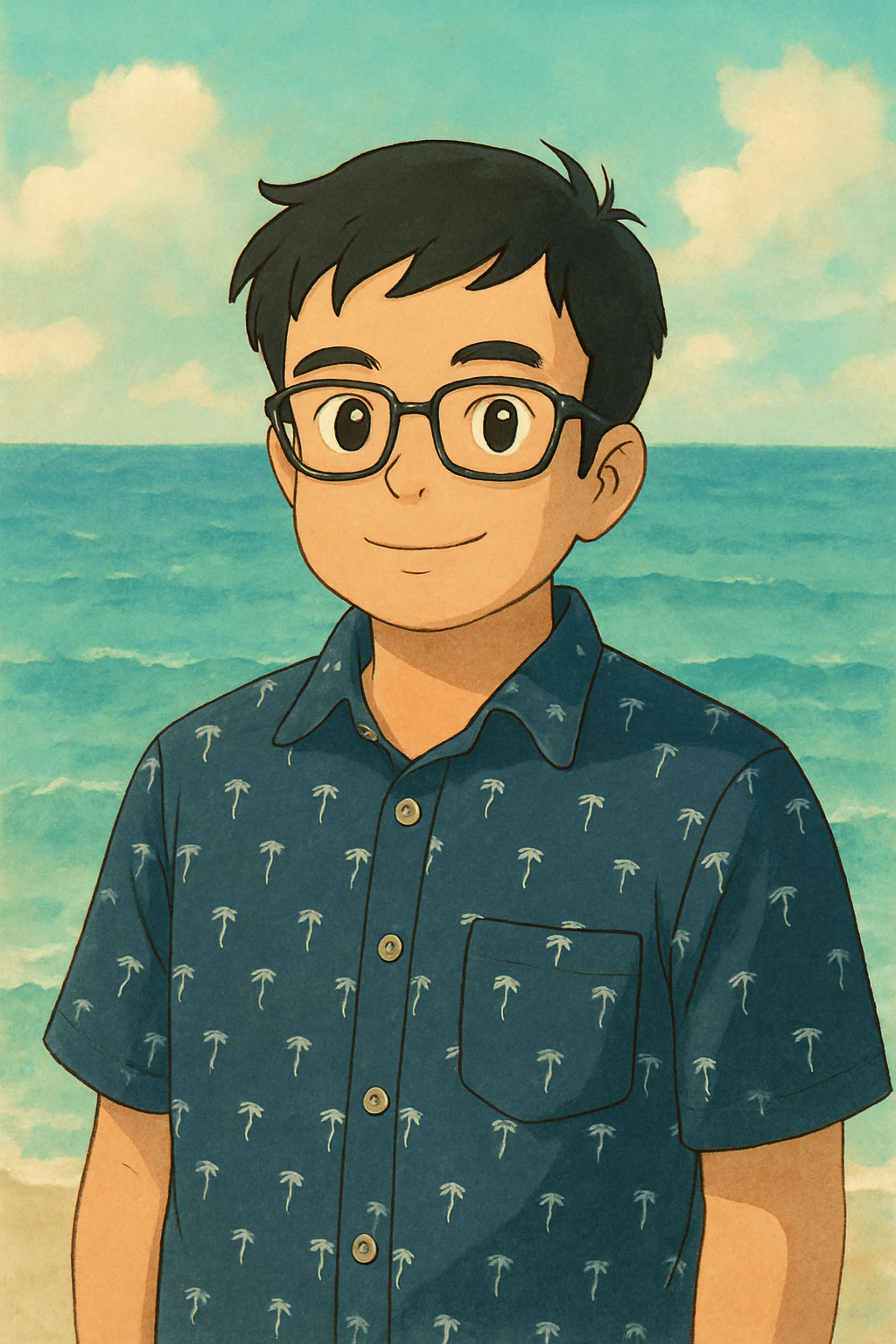
Ghibli style — a natural fall pairing
What Makes the Forest Style Stand Out
Most avatar styles place you in a character universe. The Forest style does something different — it places you inside a season. The visual output draws on the full autumn spectrum: amber, sienna, burnt orange, and the particular gold that only exists when afternoon light hits a canopy of turning leaves. Your face and likeness stay central while the environment wraps around you like a painted backdrop.
- Seasonal palette. Deep reds, warm golds, and muted greens replace the flat backgrounds of standard portrait styles. Every avatar looks like it was taken on a peak-color October afternoon.
- Painterly quality. The Forest style renders with a soft, textured finish that sits between photography and illustration. It works as wall art, not just as a social media graphic.
- Works year-round as a gift. Fall aesthetics are perennially popular — not just in October. A forest avatar given in August lands as a "thinking of you before the season changes" gift, which feels thoughtful rather than seasonal-generic.
- Universally flattering. Warm autumn tones complement every skin tone and hair color. Unlike styles with harsh lighting or high-contrast color grading, the Forest style produces portraits that people genuinely want to use as their profile photo.
Best Photos for the Forest Style
The Forest style is forgiving with source material, but certain photos consistently produce the strongest results. Use these guidelines to pick the best input photo before you upload.
Outdoor portraits
Photos taken outside — in a backyard, a park, or on a trail — give the AI natural context to build on. The Forest style extends that outdoor environment into a full autumn scene rather than replacing it entirely, which produces the most seamless results.
Soft, even lighting
Photos taken on a slightly overcast day or near a large window have the kind of diffused, even light that the Forest style enhances beautifully. Avoid photos taken in harsh direct sunlight or under fluorescent indoor lighting — those light sources flatten the warm tones the style is known for.
Clear, front-facing face
As with any avatar style, photos where the face is clearly visible and roughly forward-facing produce the sharpest likeness. A three-quarter angle works well too. Profiles and photos where the face is partially obscured reduce how closely the final avatar resembles the subject.
Pair the Forest Style With These Looks
The Forest style pairs naturally with other painterly and nature-adjacent aesthetics. If you are building a multi-avatar gift set or want to explore the full seasonal range, these styles complement it well.
- Studio Ghibli — The Ghibli style shares the Forest style's painterly warmth and love of natural settings. Side by side, a Forest avatar and a Ghibli avatar of the same person look like companion prints from the same artistic series.
- Watercolor — For a softer, more abstract interpretation of the autumn palette, the Watercolor style bleeds warm fall colors across the portrait in translucent washes. It works especially well as a companion to the more detailed Forest style.
- Fantasy — For someone who loves the forest as a setting but wants something with more drama, the Fantasy style adds magical elements to the natural environment. Ideal for anyone who has read every book in a certain woodland-adventure series more than once.
Frequently Asked Questions
How much does a forest avatar cost?
Your first avatar is completely free — no account or credit card required. After that, credit packs start at $2.99, and each credit generates one high-resolution avatar in any style. A three-style gift set — Forest, Ghibli, and Watercolor — runs $2.99 at standard pack pricing. That is less than a greeting card at most shops.
How long does it take to generate a fall forest avatar?
The avatar generates in about 30 seconds after you upload your photo. There is no queue or wait period for standard generation. You can have a finished, downloadable PNG ready to share or send to a print service in under two minutes from the moment you land on the site.
Can I use the avatar as my profile photo?
Yes — the forest avatar is sized and rendered at high resolution specifically so it works as a profile photo on Instagram, TikTok, LinkedIn, or any other platform. Many people update their profile photo seasonally; the Forest style is one of the most popular choices for the August-to-November window.
Is the image quality good enough to print and frame?
MiniFigureAI generates high-resolution PNG files that print sharply at 4x6, 5x7, and 8x10. For standard framing sizes, the output looks clean and detailed at any online photo service. A 5x7 matte print from Shutterfly or Walmart Photo costs under $5 and looks like a professional art print when framed.
Can I create a forest avatar as a gift for someone else?
Yes — upload a photo of the person you want to gift it to, generate the Forest style avatar, and download the PNG. You can print and frame it, add it to a custom card, or send it digitally as a fall surprise. It takes under two minutes and costs less than most seasonal gifts that end up in a junk drawer.
Create Your Fall Forest Avatar
Upload a photo and generate your autumn avatar in under 60 seconds. First avatar is free — no account required.
Create Fall Avatar — FreeNo credit card required · First avatar is free
MiniFigureAI is an independent product and is not affiliated with, endorsed by, or sponsored by LEGO Group, Disney, Pixar, Lucasfilm, Nintendo, Mojang Studios, Marvel, DC Comics, Studio Ghibli, or any other brand mentioned on this page. All trademarks belong to their respective owners. Avatars are AI-generated artwork inspired by popular art styles.