
Seasonal Guide
Light Up Your Profile for Diwali 2026
September 2026 · 5 min read
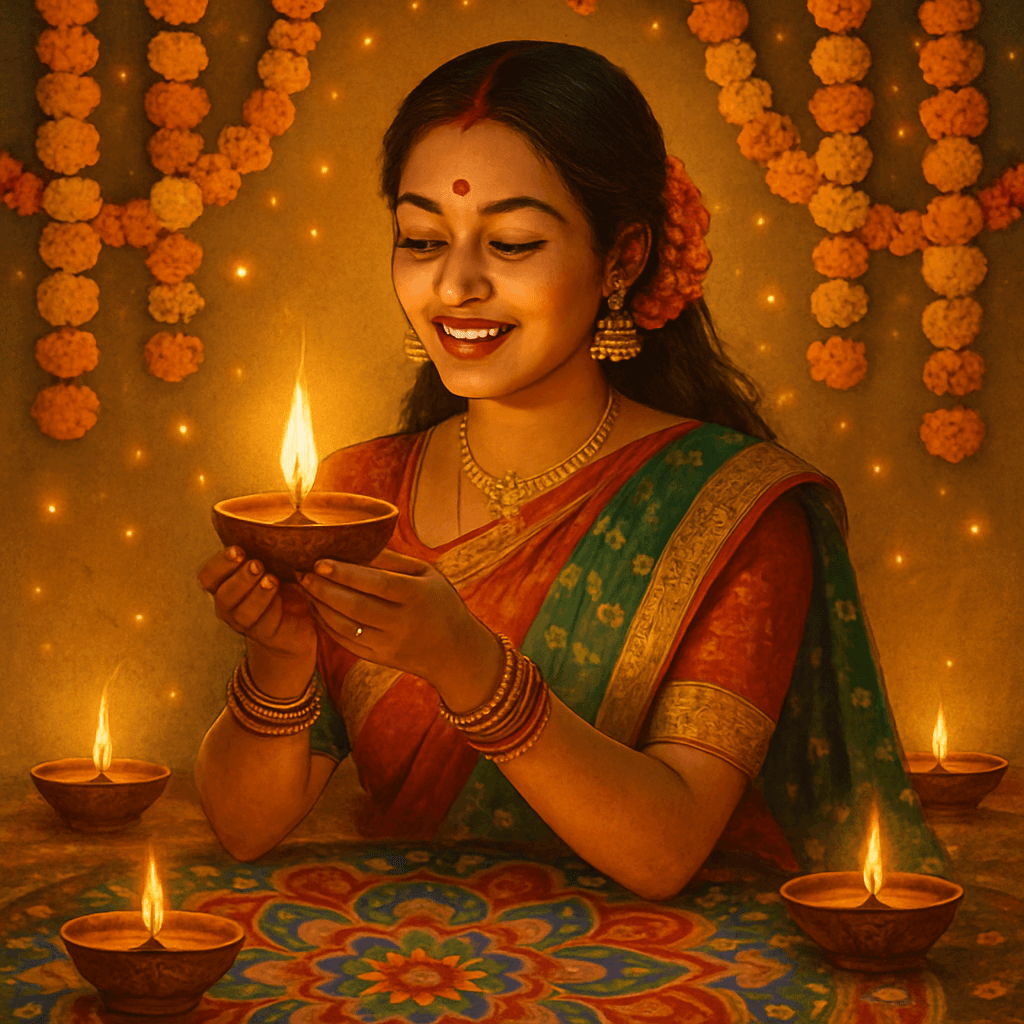
Diwali is the one occasion where your profile photo should actually look like the festival — warm, luminous, and worth stopping to look at. MiniFigureAI turns any photo into a personalised Diwali avatar in under 60 seconds, giving you something to post, share, or gift that goes far beyond a group broadcast message. Your first avatar is free, and this guide walks you through exactly how to make one that your family and friends will want to save.
Step-by-Step Guide
- 1
Upload your photo
Head to minifigureai.com and upload a clear, well-lit photo of yourself or the person you are creating the avatar for. A front-facing portrait where the face is clearly visible produces the most accurate likeness — a recent selfie or casual photo works perfectly. - 2
Pick the Diwali style
Select the Diwali style from the style picker. The style wraps your likeness in rich festival imagery — warm diyas, rangoli patterns, and golden light that evokes the atmosphere of the Festival of Lights. No other style captures the same festive warmth for this occasion. - 3
Generate your avatar
Hit generate and the AI produces your Diwali avatar in about 30 seconds. The result is a high-resolution portrait in the full glow of the festival — detailed, vibrant, and ready to share. Generate a version for every family member or friend you want to send a personalised Diwali greeting to. - 4
Download the high-resolution PNG
Download your finished avatar as a high-resolution PNG. It prints cleanly at any standard size — 4x6, 5x7, or 8x10 — and scales perfectly for WhatsApp, Instagram, or any messaging app. No compression, no quality loss. - 5
Share, print, or send it as a Diwali gift
Post the avatar to your Instagram or WhatsApp status as your Diwali profile update, send it to family and friends as a personalised greeting, or print and frame it as a keepsake. The sections below cover the most popular ways to present a Diwali avatar gift.
Tips for the Best Results
- Use a photo with a plain or simple background. The AI isolates the face and builds the festive scene around it. A cluttered background can compete with the Diwali imagery. A plain wall or outdoor shot with soft natural light gives the cleanest result.
- Traditional clothing photographs beautifully in this style. If you or the recipient already owns a kurta, lehenga, or saree, wearing it in the source photo lets the AI incorporate the fabric details naturally into the Diwali output. The result looks intentional rather than layered.
- Generate one avatar per family member for a full Diwali set. Creating individual avatars for parents, siblings, and close friends and sending each person their own personalised version turns a single gesture into a series of meaningful surprises. Each takes about 30 seconds.
- Pair the Diwali style with a second style for a two-image gift. Generate the same person in the Diwali style and one complementary style — such as the Ghibli or Minifigure style — and present both together. It shows thought and gives the recipient two keepsakes instead of one.
- Send digitally for instant delivery across time zones. Diwali greetings arrive on a specific day — digital delivery via WhatsApp, Instagram DM, or email means no shipping delays and no timezone anxiety. Send the file directly or share it as a story tag.
Diwali style — Festival of Lights portrait
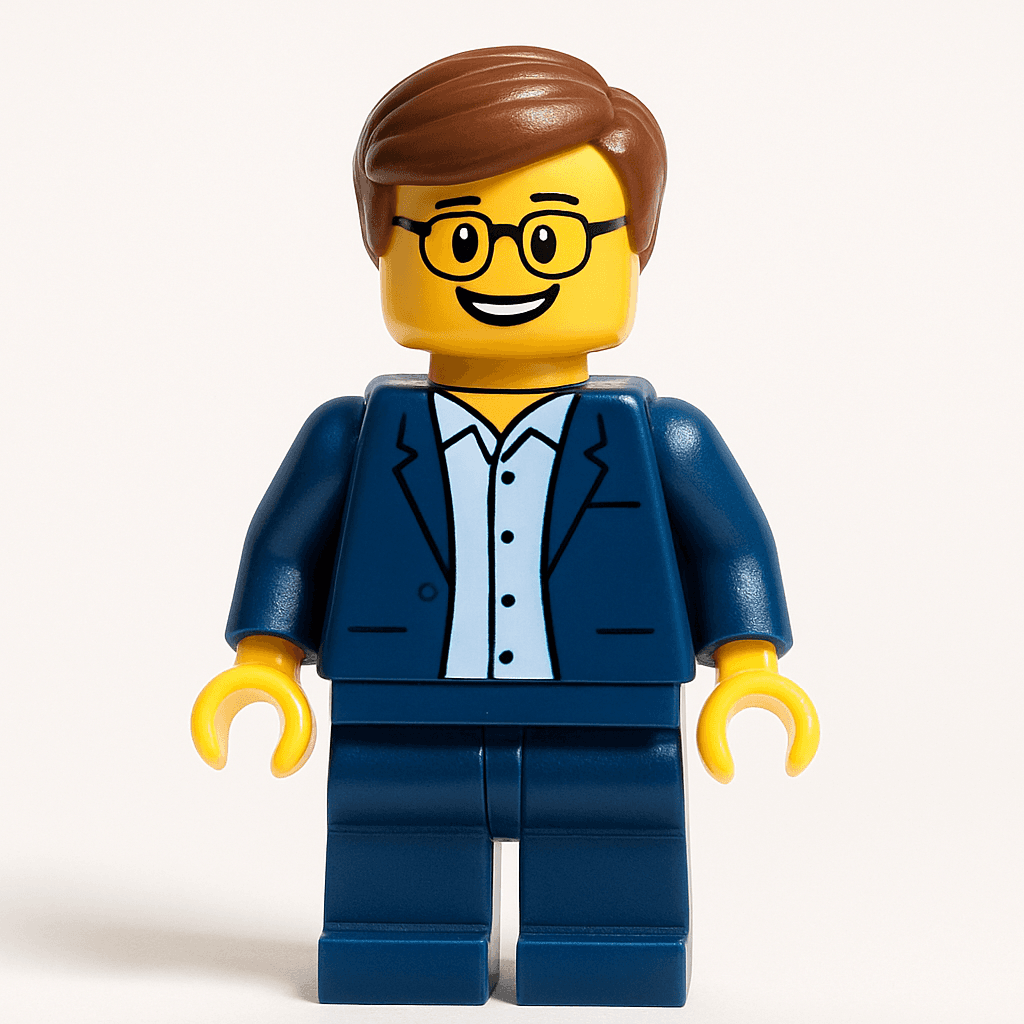
Minifigure style — a fun pairing for the occasion
Why a Personalised Diwali Avatar Makes a Memorable Gift
- It is specific to the person. A generic Diwali e-card is forgettable. An avatar that actually looks like the recipient — rendered in the full glow of the festival — communicates that someone made something for them, not just forwarded something along.
- It is immediate. The avatar generates in about 30 seconds and delivers the moment you hit send. No shipping, no customs, no last-minute panic — useful when family is spread across multiple countries and time zones.
- It is affordable. The first avatar is free. Additional credits start at $2.99 — far less than sending physical mithai or gifts internationally, and without the wait.
- It gets shared. Diwali is a social occasion. A personalised avatar of yourself lit up in festival colours is exactly the kind of thing that goes onto Instagram stories and WhatsApp statuses for the full five days of the festival.
- It prints as a keepsake. The high-resolution PNG prints beautifully at 5x7 or 8x10. Framed and placed near the home mandir or on the living room shelf, it becomes part of the annual Diwali decor.
4 Ways to Share or Present Your Diwali Avatar
1. Update your profile photo
Set your Diwali avatar as your profile picture on Instagram, WhatsApp, or LinkedIn for the duration of the festival. It is an immediate, visible way to mark the occasion and tends to generate messages from family and friends asking how you made it. Point them here.
2. Send as a personalised greeting
Generate an avatar for each person you want to greet — parents, siblings, cousins, close friends — and send their individual avatar with a short Diwali message. It replaces the group broadcast message with something that feels genuinely personal. Each generation takes about 30 seconds, so a full family list is done in minutes.
3. Print and frame as a gift
Print the avatar at any online photo service — Shutterfly, Walmart Photo, or a local print shop — and frame it at 5x7 or 8x10. Total cost is under $15. Wrap it as a Diwali gift and present it alongside mithai or other sweets. It is the kind of thing that stays on the shelf long after the festival is over.
4. Use it on a custom Diwali card
Drop the avatar PNG into a free Canva template to create a custom Diwali greeting card with the recipient's own face on the front. Print it at home or through a card printing service. Unlike a store-bought card, this one almost never gets recycled — it gets kept.
Other Styles to Pair With Your Diwali Avatar
The Diwali style is the centrepiece, but pairing it with a second style makes the gift more personal and gives the recipient two avatars to share. Consider these combinations based on who you are making it for:
- Studio Ghibli — The painterly, warm Ghibli style pairs naturally with the golden tones of the Diwali avatar. For anyone who loves animated films or art, this combination produces two images that look intentionally matched.
- Minifigure — Universally loved and immediately recognisable. A Diwali avatar alongside a Minifigure version of the same person makes a playful two-print set — one for the mandir shelf, one for the desk.
- Pixar — The expressive, cinematic Pixar style works well for children and young family members. Generate a Diwali avatar for the adults and a Pixar avatar for the kids in the family, and you have a complete set that works for every age.
Frequently Asked Questions
How much does a Diwali avatar cost?
Your first avatar is completely free — no account or credit card required. After that, credit packages start at $2.99, and each credit generates one high-resolution avatar in any style. If you are creating avatars for multiple family members, a small credit pack covers the entire family for less than the cost of a box of mithai.
How long does it take to generate a Diwali avatar?
The avatar generates in about 30 seconds after you upload a photo. There is no queue or waiting period. You can upload, generate, and download a finished high-resolution PNG in under two minutes total — fast enough to create personalised Diwali greetings for your entire contact list on the day itself.
Can I use any photo, or does it need to be a special photo?
Any clear, well-lit photo where the face is visible works well. A front-facing portrait produces the most accurate likeness. If the person is wearing traditional clothing in the source photo, the AI often incorporates those fabric details into the output naturally, which makes the result feel even more specific to the occasion.
Is the image quality good enough to print and frame?
Yes. MiniFigureAI generates high-resolution PNG files that print sharply at standard framing sizes — 4x6, 5x7, and 8x10 all look excellent at standard photo print quality. For a Diwali keepsake gift, a 5x7 print from any online photo service costs under $5 before framing, and the result is genuinely frame-worthy.
When is Diwali 2026, and when should I create my avatar?
Diwali 2026 falls in October. Because the avatar generates in about 30 seconds, you can create it any time — even on the day of the festival itself. If you are printing and framing the avatar as a physical gift, allow 2 to 5 business days for standard shipping from an online photo service, so order at least a week before the celebration.
Create Your Diwali Avatar — Free
Upload a photo and generate a personalised Diwali avatar in under 60 seconds. First avatar is free — no account required.
Create Diwali Avatar — FreeNo credit card required · First avatar is free
MiniFigureAI is an independent product and is not affiliated with, endorsed by, or sponsored by LEGO Group, Disney, Pixar, Lucasfilm, Nintendo, Mojang Studios, Marvel, DC Comics, Studio Ghibli, or any other brand mentioned on this page. All trademarks belong to their respective owners. Avatars are AI-generated artwork inspired by popular art styles.