
Seasonal Guide
How to Give a Personalized Christmas Avatar as a Gift This Year
March 2026 · 5 min read
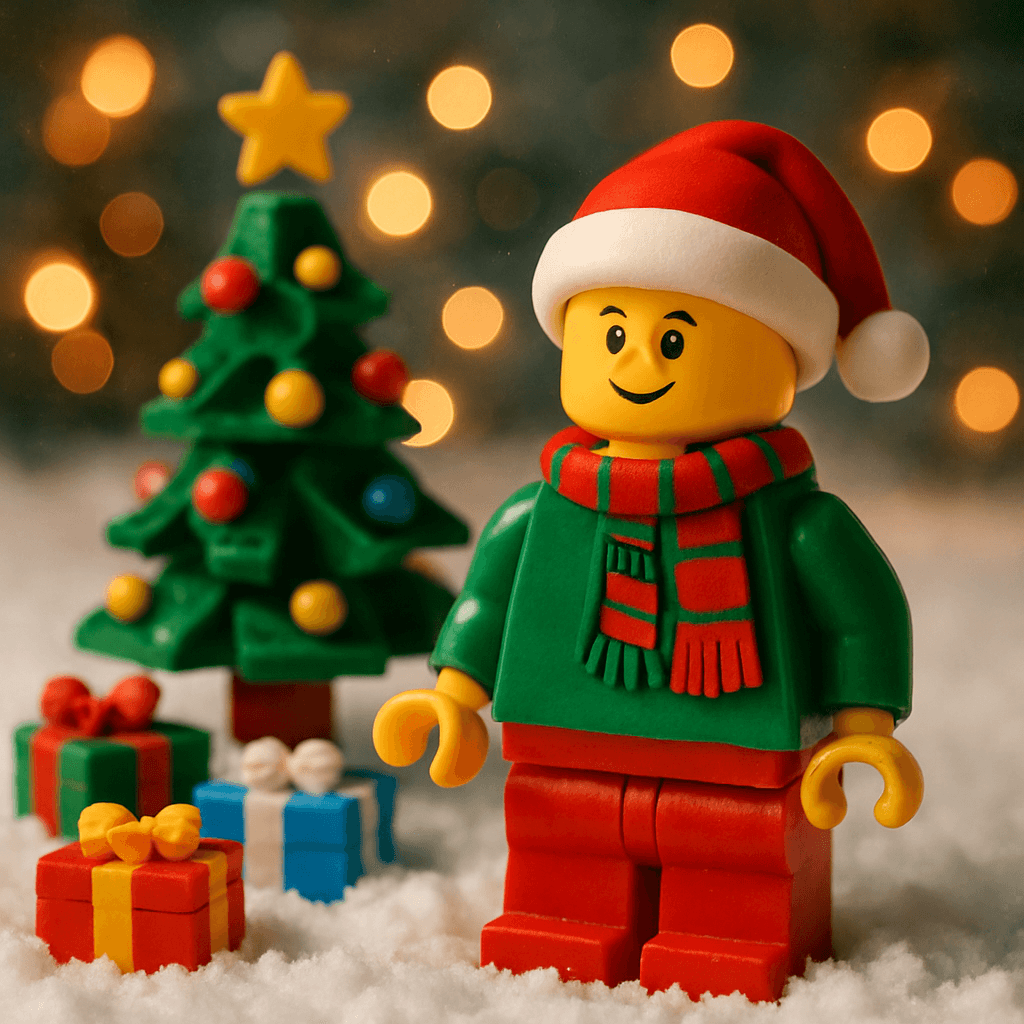
Looking for a Christmas gift that's personal, unique, and won't break the bank? Turn your loved ones into festive AI avatars — complete with Christmas trees, snow, twinkling lights, and Santa hats. In 60 seconds, you have a one-of-a-kind christmas avatar gift they can't find anywhere else.
Step-by-Step Guide
- 1
Choose a clear photo of the recipient
Pick a well-lit, front-facing photo where their face is clearly visible. A casual snapshot from a family gathering or a recent headshot both work well. The AI captures hair color, skin tone, and facial features — the clearer the photo, the more accurate the likeness. - 2
Go to MiniFigureAI and upload the photo
Head to minifigureai.com and upload the photo. The first avatar is completely free — no account or credit card required. If you are making gifts for the whole family, a credit pack starts at $2.99. - 3
Select the Christmas style
Choose the Christmas style from the style picker. The AI will surround your subject with festive details — a Christmas tree, twinkling lights, snow, holly, and a Santa hat. The generation takes about 30 seconds. - 4
Preview and download the high-resolution result
Review your Christmas avatar. Download the high-resolution PNG — it is suitable for printing at standard gift sizes (4x6, 5x7, wallet prints) and for digital delivery. If you want a second style alongside it, add the classic Minifigure style for a gift set. - 5
Present the gift
Print and frame it, add it to a Christmas card, order it on a mug or ornament, or send it digitally. The result is ready before the eggnog is poured — no shipping wait, no supply chain worries, and nothing like it in any store.
Tips for the Best Results
- Festive clothing enhances the result. If you have a photo of the recipient in a Christmas sweater or holiday outfit, use it. The AI incorporates existing clothing details into the final avatar, making it feel even more themed.
- Red and green colors translate beautifully. The Christmas style is specifically tuned for holiday palettes. Photos where the subject is already wearing warm tones — red, green, gold — produce especially vivid and festive results.
- Family group photos create a Christmas card. Upload a family photo and generate everyone together as a Christmas avatar. Print it as a 5x7 card and you have a completely personalized Christmas card that no one else on the street will be sending.
- Pair the Christmas style with classic Minifigure for a gift set. Generate the same person in both the Christmas style and the classic Minifigure style, then print and frame them side by side. It doubles the gift without doubling the cost — two styles, one person, one complete set.
- Use an older photo for a nostalgic twist. Dig out a photo from five or ten years ago — or even a childhood photo if you have it scanned. Turning a nostalgic image into a Christmas avatar adds an emotional layer that a generic gift simply cannot.
Christmas style
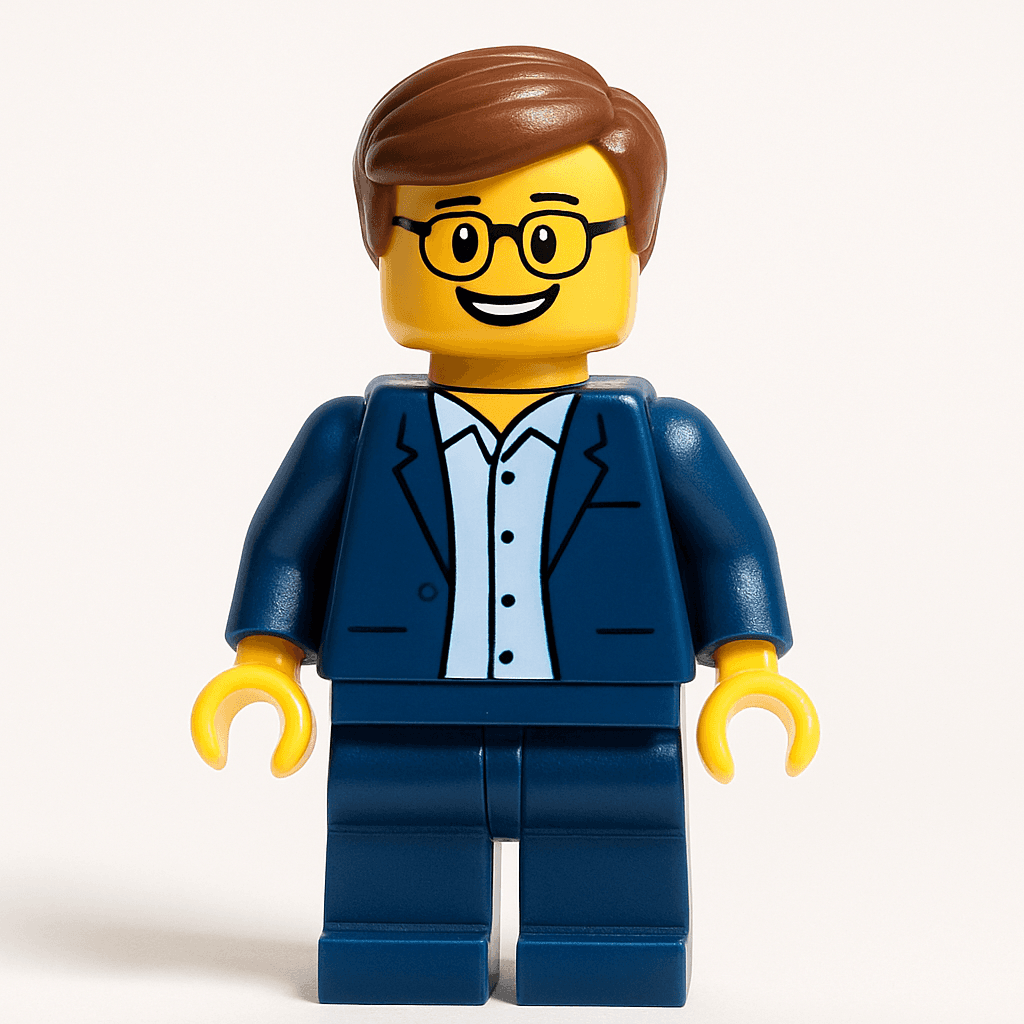
Minifigure style — pair with Christmas for a gift set
Why Christmas Avatars Make Perfect Gifts
- Affordable. Your first avatar is free. Additional credits start at $2.99 — far less than a trip to the mall. You can create gifts for your entire family for under $10.
- Uniquely personal. Unlike any item you can buy in a store, a Christmas avatar is made from the recipient's actual likeness. No two results are the same. It says "I thought about you specifically" in a way that a gift card never can.
- Last-minute friendly. Forgot someone on your list? The entire process takes under 60 seconds. You can create, download, and send a digital gift on Christmas Eve without breaking a sweat.
- Works for anyone. Grandparents, kids, colleagues, your best friend, your dad who has everything — everyone is a candidate for a Christmas avatar. There is no age group or personality type that does not appreciate seeing themselves rendered in holiday style.
- Keepsake quality. Printed and framed, a Christmas avatar is the kind of thing that ends up on the mantle next to the family photos — not in the recycling bin after New Year's.
7 Ways to Use Your Christmas Avatar
- 1Custom Christmas card. Use the avatar as the front cover of a printed Christmas card. Canva has free greeting card templates that are perfectly sized for a 5x7 print. It is the most personal Christmas card anyone on your list will receive.
- 2Framed gift. Print the avatar at any photo service — Walmart Photo, Shutterfly, or even at home on cardstock — and drop it into a simple 5x7 frame. Wrapped under the tree, it is a finished gift that cost under $15 total.
- 3Stocking stuffer print. Print wallet-sized versions of each family member's Christmas avatar and slip them into stockings. Small, personal, and genuinely surprising — a stocking stuffer that will not end up in the junk drawer.
- 4Family portrait for the mantle. Generate every family member as a Christmas avatar, arrange them side by side in Canva, and print as a group portrait. It sits on the mantle next to the nativity scene and becomes a Christmas tradition.
- 5Social media Christmas post. Share your Christmas avatar as your profile photo or in a holiday post. The festive rendering consistently drives strong engagement — people tag friends asking where to get one.
- 6WhatsApp or iMessage sticker. Save your Christmas avatar to your phone and add it as a custom sticker in WhatsApp or iMessage. Send it in response to every holiday message for the next 12 days of Christmas.
- 7Wrapping paper decoration. Print a small version of the recipient's Christmas avatar on adhesive label paper and use it as a gift tag on their present. It makes even a plain box feel entirely personal before they open it.
Other Holiday Styles to Explore
Christmas is just one of MiniFigureAI's seasonal styles. If you are gifting year-round or want to plan ahead for other occasions, these guides cover the full holiday calendar:
- New Year's Avatar Gift — ring in the new year with a fireworks and confetti avatar
- Easter Avatar Gift — pastel scenes with bunny ears and spring flowers
- Halloween Avatar Gift — spooky pumpkins and costumes for the scariest gift on the block
- Thanksgiving Avatar Gift — warm autumn scenes perfect for the table centerpiece or a holiday card
Frequently Asked Questions
How much does a Christmas avatar gift cost?
Your first avatar is completely free — no account or credit card required. After that, credit packs start at $2.99, and each credit generates one high-resolution Christmas avatar. For a family of four, that is four personalized gifts for under $10. Credits never expire, so you can stock up before the holiday season.
Can I make a Christmas avatar for my whole family?
Yes — each person needs their own photo and uses one credit. Upload each family member's photo separately and generate a Christmas avatar for each one. You can then arrange them all in Canva as a group portrait, or present each person their own individual avatar. A credit pack of 10 starts at $6.99.
Is the image quality good enough to print for Christmas cards?
Yes. MiniFigureAI generates high-resolution PNG files that print sharply at standard card sizes — 4x6 and 5x7 both look excellent. For the best result, use an online print service like Shutterfly, Canva Print, or Walmart Photo rather than a home printer on plain paper. The image will be sharp enough to frame.
How fast can I create and deliver a Christmas avatar gift?
The entire process — upload, generate, download — takes under 60 seconds. If you are sending the gift digitally (via email, text, or WhatsApp), you can deliver it immediately. If you are printing it, same-day pickup is available at most Walmart Photo and Walgreens locations. It is the most last-minute-friendly gift on any Christmas list.
Does MiniFigureAI work with pet photos for a Christmas avatar?
Yes — pets work well with the Christmas style. Upload a clear, well-lit photo where your dog or cat's face is visible and the AI will render them in a festive Christmas scene complete with Santa hat or holiday scarf. Pet Christmas avatars are among the most shared results on MiniFigureAI — they are hard to resist.
Create a Christmas Avatar Gift
Upload a photo and generate a personalized Christmas avatar in under 60 seconds. First avatar is free — no account required.
Create a Christmas Avatar GiftNo credit card required · First avatar is free
MiniFigureAI is an independent product and is not affiliated with, endorsed by, or sponsored by LEGO Group, Disney, Pixar, Lucasfilm, Nintendo, Mojang Studios, Marvel, DC Comics, Studio Ghibli, or any other brand mentioned on this page. All trademarks belong to their respective owners. Avatars are AI-generated artwork inspired by popular art styles.