
AI Minifigure Generator Guide
The Best AI LEGO Minifigure Generator in 2026 (No Design Skills Needed)
March 2026 · 6 min read
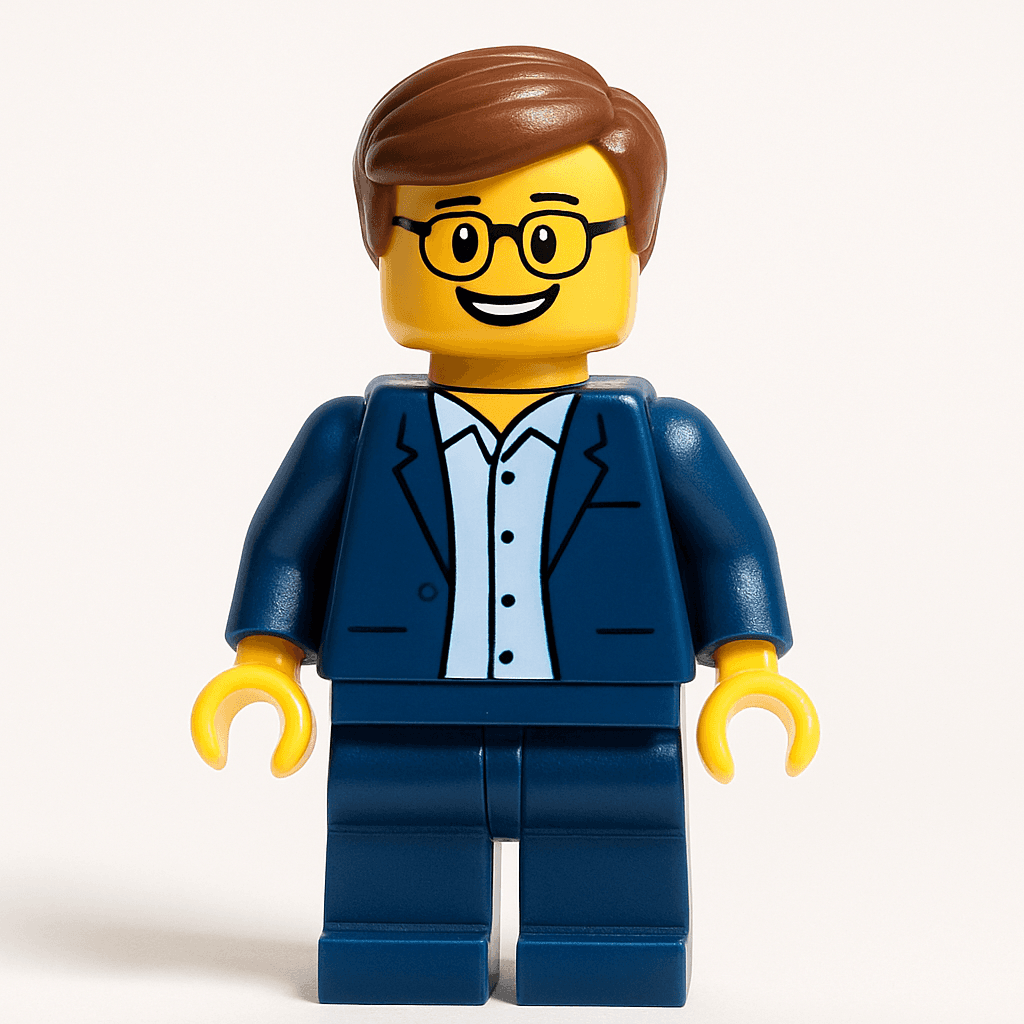
Creating a LEGO minifigure of yourself used to mean commissioning a custom 3D print, hunting down a physical customization service, or spending hours in Photoshop learning the exact proportions of that iconic cylindrical head. The barrier was real — most people never bothered. Now, AI does it from a photo in 60 seconds, and the results are genuinely impressive.
AI minifigure generators have proliferated quickly, but they are not all equal. Some require detailed text prompts and still produce inconsistent brick-style output. Others are physical services that cost $50 and take two weeks to ship. Only a handful are purpose-built to take any photo and reliably produce a LEGO-accurate minifigure in one click.
This guide covers what to look for in an AI minifigure generator, walks through the full creation process step by step, and compares the leading options so you can choose the right tool for your needs — whether you want a profile picture, a personalized gift, or content for social media.
What You'll Need
- A photo — selfie, portrait, group shot, or even a pet photo
- A web browser (Chrome, Safari, Firefox, or Edge — any device)
- 60 seconds
Step-by-Step Guide
- 1
Go to minifigureai.com
Open your browser and navigate to minifigureai.com. No sign-up is required for your first free avatar — just arrive and start. - 2
Upload any photo
Drag and drop a photo onto the upload area, click to browse your files, or tap the camera icon to take a photo directly on mobile. JPG, PNG, and WEBP files up to 30MB all work. A clear, well-lit selfie gives the sharpest likeness, but the AI handles most photos well. - 3
Minifigure style is pre-selected by default
The LEGO Minifigure style is the default selection — you do not need to change anything. If you want to compare other styles, the full library is available in the style picker. For classic brick-form output, just leave the default selection as-is. - 4
Wait about 30 seconds
Hit generate and let the AI work. The model analyzes your photo — facial features, expression, hair, clothing, accessories — and reimagines you in minifigure form. Most generations complete in 20–40 seconds. - 5
Tips for the Best Results
- Clothing details become torso prints. The AI captures what you are wearing — a distinctive jacket, a team shirt, a patterned top — and translates it into the minifigure torso print. Wear something recognizable for more personality in the result.
- Accessories are preserved. Glasses, hats, headbands, and earrings are captured and translated into LEGO-appropriate equivalents. If you have a signature accessory, wear it in your photo.
- Solo photos give the sharpest likeness. A single subject allows the AI to devote maximum detail to facial features. Group photos work well, but individual likenesses are slightly less precise when multiple faces share the frame.
- Pets can become minifigures too. Dog, cat, rabbit — the AI handles animal subjects and produces creative LEGO-style interpretations. Try a pet photo for a great social media post or a one-of-a-kind gift.
- Try different photos for different results. A casual photo produces a different feel than a dressed-up portrait. Experiment with different outfits and expressions to find your favorite version.
Minifigure style — the classic brick-form look

Star Wars style — one of 50+ available styles
What Makes a Great AI Minifigure Generator?
Not every tool that claims to make "LEGO-style" images actually delivers. Here is the quality checklist to evaluate any AI minifigure generator:
- Preserves your likeness. The result should be recognizably you — not a generic minifigure with your hair color. Facial features, skin tone, and expressions should translate into the brick-form aesthetic.
- Classic minifigure proportions. The result needs the right anatomy: cylindrical head, stubby rectangular torso, short legs with no visible knee joints. Off-proportioned output is immediately obvious to any LEGO fan.
- C-shaped hands and standard attachment points. The iconic C-shaped hands are a hallmark of the minifigure design. A generator that misses this detail produces something that looks LEGO-adjacent, not LEGO-accurate.
- Accessories are preserved. Glasses, hats, hairstyles, and distinctive clothing details should carry through to the output — not be dropped or randomized.
- Background options. The best generators give you control over the backdrop — transparent, white, or scene-specific options — so your avatar is useful in multiple contexts.
- Fast turnaround. You should not wait more than 60 seconds. AI generation latency is a solvable problem, and the best tools have solved it.
- Free to try. You should be able to generate at least one avatar without entering a credit card. The quality should be obvious before you pay.
MiniFigureAI vs Other Options
Here is how the leading options compare across the criteria that actually matter:
| Tool | Speed | Free to try | LEGO accuracy |
|---|---|---|---|
| MiniFigureAI | ~30 sec | Yes — 1 free, no card | Purpose-built, high |
| ChatGPT (DALL·E) | ~20 sec | Limited free tier | Inconsistent |
| BrickifyMe | 1–2 weeks (physical) | No — starts ~$49 | High (physical) |
| Manual design | Hours | Only if you have skills | Depends on skill |
ChatGPT (DALL·E)
ChatGPT can generate LEGO-style images when prompted correctly, but it requires prompting knowledge and still does not consistently hit canonical minifigure proportions. You may get something that looks vaguely LEGO-inspired — blocky figures, approximate color — but the C-shaped hands, cylindrical head geometry, and torso print details are frequently wrong or missing. Getting a reliable result often requires multiple rounds of prompting, which adds time and effort. It is a general-purpose image generator, not a purpose-built minifigure tool.
BrickifyMe
BrickifyMe makes physical custom LEGO-style figures — not digital images. If you want an actual plastic figure on your desk, it is a great option. But the lead time is typically one to two weeks, and prices start around $49. For a digital profile picture or social media content, it is the wrong tool for the job.
Manual design (Bricklink, Stud.io)
Tools like Stud.io let you design a minifigure from scratch with any color combination and accessory you want. The level of control is unmatched — but you need 3D design skills, knowledge of the LEGO parts library, and several hours to produce a polished result. Not realistic for most people.
MiniFigureAI
MiniFigureAI is purpose-built for exactly this use case: take any photo, produce a LEGO-accurate minifigure in one click. The model has been trained specifically on minifigure anatomy — proportions, hands, head geometry, torso print style — so you get consistent, recognizable results without prompting knowledge or retries.
50+ Styles Beyond LEGO
The LEGO minifigure style is MiniFigureAI's signature style — but it is one of over 50 available. Once you have tried the minifigure look, explore the full library. Some popular options:
- Studio Ghibli — soft, painterly art inspired by Miyazaki films
- Disney — classic princess and hero character aesthetics
- Pixar — expressive 3D character style from the Pixar universe
- Star Wars — join the galaxy far, far away in iconic Star Wars style
- Anime — shonen and K-pop inspired anime character styles
- Holiday themes — Christmas, Halloween, Easter, Diwali, Lunar New Year, and more — available via /?style=christmas and other seasonal slugs
Each style uses the same one-click workflow: upload a photo, pick a style, download in 30 seconds. You can generate the same photo in multiple styles to compare — credits are affordable and never expire.
Use Cases for Your AI Minifigure
Once you have your minifigure avatar, the applications are wider than you might expect:
Profile Pictures
LinkedIn, Instagram, Slack, Discord, WhatsApp — a LEGO minifigure avatar is immediately recognizable and universally beloved. It stands out in any feed and starts more conversations than any headshot ever will. The compact, high-contrast design reads clearly even at small thumbnail sizes.
Personalized Gifts
A minifigure avatar makes a genuinely unique gift for birthdays, Father's Day, Mother's Day, graduation, retirement, and more. Print it, frame it, put it on a mug, or use it as the hero image in a custom card. It is thoughtful, personal, and impossible to buy in a store.
Team Pages and Company Swag
One of the most popular use cases: companies convert their entire team into minifigures for the "About Us" page, onboarding materials, or Slack profiles. There is something universally delightful about seeing your colleagues in brick form — it is an instant morale boost and a visual differentiator.
Party Invitations and Event Materials
Kids' birthday parties, themed adult parties, wedding save-the-dates — a custom minifigure of the guest of honor on the invitation turns a standard card into something people keep. The LEGO aesthetic is nostalgic for adults and exciting for kids.
Social Media Content
Transformation reveals — showing the original photo alongside the minifigure result — generate strong engagement across TikTok, Instagram Reels, and Twitter/X. The before/after format is inherently shareable, and the LEGO aesthetic triggers nostalgic reactions that drive comments.
Frequently Asked Questions
Is MiniFigureAI free?
Your very first avatar is completely free — no credit card required. Creating a free account gives you 3 additional credits to use on any style. After that, credit packages start at $2.99 and never expire.
How does the AI create a minifigure from a photo?
MiniFigureAI uses a generative AI model trained specifically on LEGO minifigure anatomy and aesthetics. It analyzes your photo for facial features, hair, skin tone, clothing, and accessories, then renders a LEGO-accurate character that preserves your likeness — all without any manual prompting on your part.
Can I print my AI minifigure?
Yes. MiniFigureAI generates high-resolution PNG files suitable for printing. You can print on photo paper, put it on a mug, frame it, or use it in printed cards and invitations. Note that MiniFigureAI produces digital images only — for a physical plastic figure, you would need a separate 3D printing service.
What is the image resolution?
Generated minifigure avatars are high resolution and suitable for both digital use (profile pictures, social media) and print (cards, gifts, posters). Exact dimensions may vary by generation.
Is my photo stored?
MiniFigureAI processes your photo to generate the avatar. Generated avatars are saved to your account dashboard if you are signed in. Review the MiniFigureAI privacy policy for full details on data handling and retention.
How does this compare to ChatGPT for making LEGO characters?
ChatGPT (via DALL·E) can generate LEGO-style images from text prompts, but it requires prompting knowledge and does not reliably hit canonical minifigure proportions — the C-shaped hands, cylindrical head geometry, and torso print details are frequently inconsistent. MiniFigureAI is purpose-built for this exact use case: upload any photo and get a LEGO-accurate minifigure in one click, with no prompting required.
Create Your AI Minifigure Now
Upload your photo and see yourself as a LEGO minifigure in under 60 seconds. Free to try — no credit card, no design skills, no prompting required.
Try It Free — Create Your MinifigureNo credit card required · First avatar is free
MiniFigureAI is an independent product and is not affiliated with, endorsed by, or sponsored by LEGO Group, Disney, Pixar, Lucasfilm, Nintendo, Mojang Studios, Marvel, DC Comics, Studio Ghibli, or any other brand mentioned on this page. All trademarks belong to their respective owners. Avatars are AI-generated artwork inspired by popular art styles.